
Sources de téléchargement
Device Configuration
Guide d'installation des APKs divisées (Split APKs)
Certaines applications sont distribuées sous forme d'APKs divisées (plusieurs fichiers .apk groupés) pour optimiser les ressources. Les installateurs Android standard ne peuvent pas les ouvrir.
Applications Connexes




Nouveautés
- You can now change note text color.
- We’ve fixed some bugs and made the app run smoother for everyone.
À propos de cette application
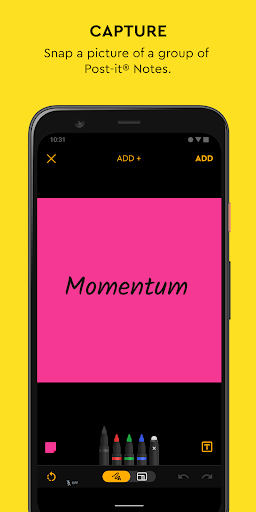
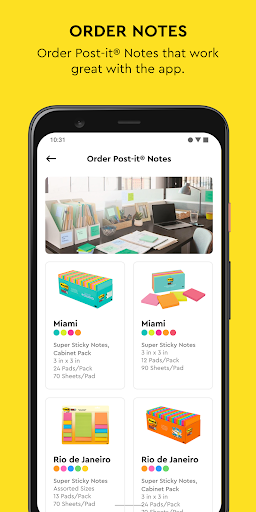
Use Post-it® Notes anywhere and anytime. Post-it® App brings the simplicity of Post-it® Notes to your smartphone, tablet and Chromebook. Whether you use Post-it® Notes for teamwork and collaboration, or for reminders and personal note taking, Post-it® App helps you keep the momentum going.
If you work from home or as a student in remote learning, use the Post-it® App to share your ideas with co-workers, structure your assignments and share them with your teacher, or create colorful calendars and share them with your friends.
Simply capture analog notes with your camera or create digital notes right on your device. Arrange, refine and organize ideas anyway you see fit. Collaborate and share notes with co-workers, teachers and friends, or export to your favorite apps and cloud services—including Miro, Trello, Dropbox, PowerPoint, Excel, PDF, and more.
Post-it® App features:
• Connect and share ideas from anywhere with co-workers and friends, whether it be a workshop or you simply want to share notes with each other.
• Capture more than 200 Post-it® Notes at a time with your camera. All our popular note sizes are supported.
• Transcribe your notes automatically using Handwriting Recognition. Great for search and exports.
• Draw, erase, type and change the color of your notes using powerful editing tools.
• Organize your way—group your ideas by thought or simply organize on a grid.
• Share to your favorite formats and cloud services to continue working on your ideas digitally—supports Miro, Trello, Dropbox, PowerPoint, Excel, PDF, and more.
• Use our Widget to put your most important notes directly on your home screen.
Learn more about Post-it® App at post-it.com/app
Terms of Service: https://www.post-it.com/3M/en_US/post-it/ideas/app/eula/
Comment télécharger l'APK de Post-it®
- Entrez le nom du paquet
com.mmm.postitsur la page d'accueil d'APK Downloader. - Sélectionnez l'architecture de votre appareil (ARM64 recommandé pour les appareils récents).
- Cliquez sur Télécharger pour obtenir le fichier APK fusionné.
- Transférez et installez l'APK sur votre appareil Android.
- Restez à jour: Visitez régulièrement APK Downloader pour rechercher et télécharger les dernières versions sécurisées de vos applications préférées.
Sécurité et Vérification de Signature
Ce téléchargement APK est 100% sûr. Nous vérifions que la signature cryptographique du fichier correspond aux informations d'identification officielles du développeur. Aucune modification ni adware n'est injecté.