
Sources de téléchargement
Device Configuration
Guide d'installation des APKs divisées (Split APKs)
Certaines applications sont distribuées sous forme d'APKs divisées (plusieurs fichiers .apk groupés) pour optimiser les ressources. Les installateurs Android standard ne peuvent pas les ouvrir.
Applications Connexes




Nouveautés
Word and character counter
À propos de cette application
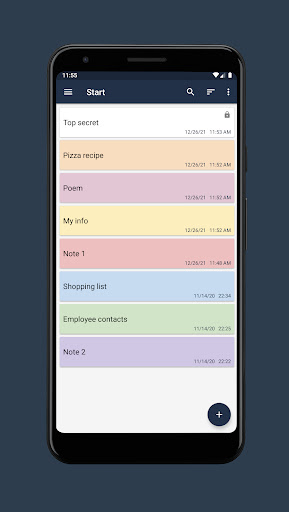
Features
• Create folders.
• Create notes in folders.
• Search for notes in notepad.
• Sort the list of notes.
• Highlighting notes in color.
• Setting a password for individual notes.
• Change the font size in the note window.
• Export notes to file (txt, pdf).
• Ability to share a note from a notepad.
• Highlighting URL links, email addresses and phone numbers with the ability to navigate through them.
• Dark theme.
• Autosave.
• Create a backup copy of your notepad.
• Restoring a notepad from a backup.
Comment télécharger l'APK de Notepad Notes
- Entrez le nom du paquet
com.hlcsdev.x.notepadsur la page d'accueil d'APK Downloader. - Sélectionnez l'architecture de votre appareil (ARM64 recommandé pour les appareils récents).
- Cliquez sur Télécharger pour obtenir le fichier APK fusionné.
- Transférez et installez l'APK sur votre appareil Android.
- Restez à jour: Visitez régulièrement APK Downloader pour rechercher et télécharger les dernières versions sécurisées de vos applications préférées.
Sécurité et Vérification de Signature
Ce téléchargement APK est 100% sûr. Nous vérifions que la signature cryptographique du fichier correspond aux informations d'identification officielles du développeur. Aucune modification ni adware n'est injecté.