
Sources de téléchargement
Device Configuration
Guide d'installation des APKs divisées (Split APKs)
Certaines applications sont distribuées sous forme d'APKs divisées (plusieurs fichiers .apk groupés) pour optimiser les ressources. Les installateurs Android standard ne peuvent pas les ouvrir.
Applications Connexes





Nouveautés
For this version, we’ve added new features to amplify your experience in the app.
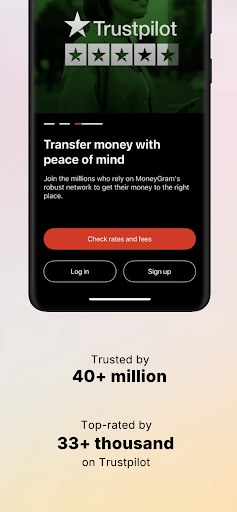
With our new bottom bar menu, navigating the MoneyGram® app is easy and simple. Additionally, you can send a repeat transfer right from the home screen. Just find the “Send Again” section, choose who you want to transfer money to, change or confirm the amount and send! In addition, we’ve made improvements to our existing features and products to make your in-app transfers faster, easier and smoother.
À propos de cette application
THE MONEYGRAM® MONEY TRANSFERS APP
The MoneyGram app provides the speed, flexibility and freedom to move money on your terms.
It’s convenient to transfer money using the MoneyGram Money Transfers app! Transfer funds directly into bank accounts, mobile wallets or for cash pickup in 200+ countries and territories.
SEND MONEY INTERNATIONALLY & WITHIN THE US
You know and love our international money transfers that make it fast, easy and reliable to send money to over 200 countries and territories around the globe. But did you know you can also transfer money to your friends and family within the United States? Simply select the U.S. as the receive country to estimate fees and start online money transfers to your loved ones here at home.
You can send money to India, Mexico, Jamaica, Vietnam, El Salvador, Honduras, Philippines, Haiti, Afghanistan, Bengladesh, and so many more.
PAY THOUSANDS OF BILLERS
MoneyGram has over 13,000 companies you can pay using our money transfer app. Paying bills with us is convenient and reliable and lets you use the payment method of your choice.
MORE FEATURES ON THE MONEYGRAM APP
• Set up easy automatic, recurring online money transfers on a weekly or monthly basis
• Stage a cash transfer at one of our thousands of convenient locations
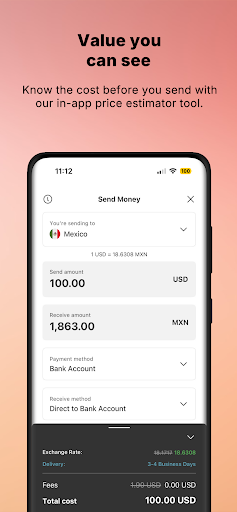
• Estimate fees before you begin a new online wire transfer
• Receive notifications and track the status of money transfers you’ve sent or are expecting to receive
• Find your nearest MoneyGram agent location to send wire transfers in-store
• Access your profile quickly and easily with biometric login
• Enjoy enhanced security with 24/7 monitoring of online activity
When you download and use MoneyGram® app, you agree to the MoneyGram Terms of Use: https://www.moneygram.com/mgo/us/en/m/terms-of-use
LEGAL
FEES AND IMPORTANT DISCLOSURES
MoneyGram makes money from both transfer fees and currency exchange. When selecting a money transfer operator, carefully compare both transfer fees and currency exchange rates. Transfer fees, foreign currency exchange rates and taxes may vary based on transaction details such as transfer amount, destination country, payment type, delivery method and pick up location. Fees and rates may be subject to change without notice. Please use care when providing payment and receiver account information. Funds will be taken from and paid into the account information provided by the sender.
The MoneyGram® Money Transfers app will display available services based on your location. Not all services will be available in all countries. The app supports the same send and receive countries shown on our website, www.moneygram.com
MoneyGram, the Globe and MoneyGram Plus Rewards are marks of MoneyGram.
Authorized to do business in all 50 states, D.C. and all U.S. territories, NMLS # 898432. Licensed as a Money Transmitter by the New York State Department of Financial Services. Massachusetts Check Seller License # CS0025, Foreign Transmittal License # FT89432.
© 2014-2024 MoneyGram
MoneyGram - 2828 N Harwood St #15, Dallas, TX 75201
Comment télécharger l'APK de MoneyGram® Money Transfers App
- Entrez le nom du paquet
com.gpshopper.moneygramsur la page d'accueil d'APK Downloader. - Sélectionnez l'architecture de votre appareil (ARM64 recommandé pour les appareils récents).
- Cliquez sur Télécharger pour obtenir le fichier APK fusionné.
- Transférez et installez l'APK sur votre appareil Android.
- Restez à jour: Visitez régulièrement APK Downloader pour rechercher et télécharger les dernières versions sécurisées de vos applications préférées.
Sécurité et Vérification de Signature
Ce téléchargement APK est 100% sûr. Nous vérifions que la signature cryptographique du fichier correspond aux informations d'identification officielles du développeur. Aucune modification ni adware n'est injecté.