
Sources de téléchargement
Device Configuration
Guide d'installation des APKs divisées (Split APKs)
Certaines applications sont distribuées sous forme d'APKs divisées (plusieurs fichiers .apk groupés) pour optimiser les ressources. Les installateurs Android standard ne peuvent pas les ouvrir.
Applications Connexes




Nouveautés
- Fixed minor issues reported by users
- Please send us your feedback!
À propos de cette application
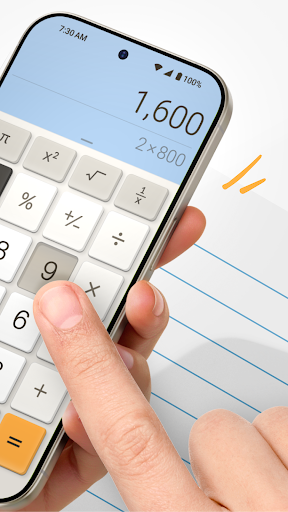
All-in-one calculator app for Android. It combines a basic calculator and a scientific one, date and percentage calculator, financial and tax calculator, currency and unit converter in one easy-to-use app. Stop switching between multiple calculator apps — Calculator Plus helps you calculate faster and more accurately.
All-in-one calculator app is designed for:
✔ Basic math and daily calculations
✔ Scientific calculations and algebra
✔ Calculating discounts and percentages while shopping
✔ Budgeting, bills, tax, and expense tracking
✔ Unit and currency conversion
✔ Financial and business tracking
✔ School homework and study
✔ Multi-step equations with history
✔ Date, age and days calculations
What are Core Functions?
Scientific Calculator for Android
Solve advanced math problems with a scientific calculator designed for speed and clarity.
✔ Parentheses and multi-step equations
✔ Logarithms and exponential calculations
✔ Trigonometric functions: sin, cos, tan
✔ Algebra and scientific formulas
✔ Memory functions and calculation history
Perfect for students, engineers, professionals, and anyone who needs more than a basic calculator.
Smart Financial Calculator for Everyday Use
Use Calculator Plus for:
✔ Bills and personal expenses
✔ Shopping totals and discounts
✔ Budget planning
✔ Restaurant tips
✔ Household math
The lightweight interface with big buttons is optimized for fast input, quick results, and comfortable reading on phones and tablets.
Percentage and Tax Calculator
Whether you’re asking “How much is 20% off?” or “What tip should I leave?”, Calculator Plus delivers accurate answers.
Calculate sales discounts, tax-inclusive prices, tips and gratuities, percentage increases or decreases, profit margins, and markups.
Currency and Unit Converter
Convert currencies and measurement units without leaving the app. Compare prices while travelling and quickly switch between common units for work, school, shopping, or everyday tasks.
Calculation History and Memory
Save and review previous calculations to double-check totals, track expenses, compare numbers, continue calculations later, and avoid manual errors. The built-in history and memory tools make the app useful for long calculations and financial tracking.
Multi-Window Mode
Open multiple calculator windows at the same time to compare totals, run separate calculations, or manage budgets more efficiently. Useful for expense tracking, business calculations, shopping comparisons, and multi-step budgeting.
Calculator Widget
Add the calculator widget to your home screen for instant access and quick calculations without opening the full app.
Notes and Saved Calculations
Attach notes to saved calculations to organize expenses, transactions, tax records, budget plans, and currency conversions. Ideal for personal finance and small business use.
Date and Days Calculator
“How many days until my trip?”
Use a built-in days calculator to count days between dates, calculate age, track deadlines, plan vacations, and manage important events.
Who Is Calculator Plus Designed For?
✔ Students, schoolchildren
✔ Professionals, engineers
✔ Business owners
✔ Travellers and shoppers
✔ Anyone managing budgeting, household expenses, or personal finance
Why Choose Calculator Plus?
✔ Scientific calculator and basic calculator app — all-in-one
✔ Fast, and easy to use
✔ Easy percentage, tax, and discount calculations
✔ Currency and unit converter
✔ Calculation history with notes
✔ Multi-window support for advanced workflows
✔ Home screen widget for quick access
✔ Clean interface optimized for Android phones and tablets
Whether you need a reliable calculator for budgeting, taxes, shopping, school, business, or everyday math, Calculator Plus gives you all the most accurate tools.
Comment télécharger l'APK de Calculator Plus with History
- Entrez le nom du paquet
com.digitalchemy.calculator.freedecimalsur la page d'accueil d'APK Downloader. - Sélectionnez l'architecture de votre appareil (ARM64 recommandé pour les appareils récents).
- Cliquez sur Télécharger pour obtenir le fichier APK fusionné.
- Transférez et installez l'APK sur votre appareil Android.
- Restez à jour: Visitez régulièrement APK Downloader pour rechercher et télécharger les dernières versions sécurisées de vos applications préférées.
Sécurité et Vérification de Signature
Ce téléchargement APK est 100% sûr. Nous vérifions que la signature cryptographique du fichier correspond aux informations d'identification officielles du développeur. Aucune modification ni adware n'est injecté.