
Sources de téléchargement
Device Configuration
Guide d'installation des APKs divisées (Split APKs)
Certaines applications sont distribuées sous forme d'APKs divisées (plusieurs fichiers .apk groupés) pour optimiser les ressources. Les installateurs Android standard ne peuvent pas les ouvrir.
Applications Connexes



Nouveautés
Fix cannot select sticker
À propos de cette application
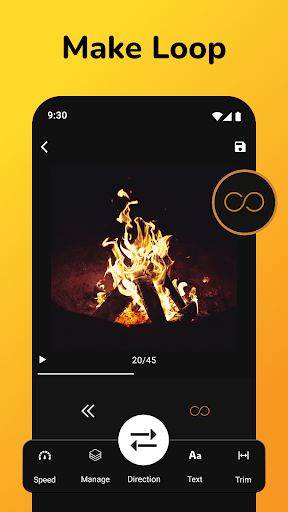
Video to Gif Converter - Your Key to the Ultimate GIFs!Convert your photos and videos to marvelous slideshows using the ultimate Video To Gif Converter. Be it to create animated slideshows out of pictures or to convert some videos into a different format, this tool does it all. That's why Mp4 to Gif Maker Editor will let you easily edit and personalize, and it is perfect for beginners and pros alike.
Let your creativity run amok with such tools as Make A GIF Editor and Make GIF Creator! Check the features of the options below and see how easily you will create and edit using our Video To Gif Converter.
📄Video To Gif Converter Key Features:📄
🎥 Video To Gif Converter – Quickly convert MP4 videos. Adjust the duration, frames, and effects;
📸 GIF Maker From Picture – Create from your favorite photos and combine images into a dynamic slideshow;
✨ Mp4 to Gif Maker Editor – Edit and enhance by trimming, cropping, and adding special effects;
🖼 Gifs Creator From Photos – Merge your photos into one seamless slideshow and add custom elements;
🎞 Make A GIF Editor – Customize with editing tools like speed adjustment, text overlays, and more;
🎨 Make GIF Creator – Create GIFs from videos and photos with personalized stickers, emojis, and effects!
Create GIFs With The Video To Gif Converter The Video To Gif Converter allows you to convert your favorite videos into shareable GIFs with just a few clicks. Trim the video, select the portion you want, and transform it into an engaging one in seconds. The Mp4 to Gif Maker Editor provides all the editing tools you need to adjust the look and feel of your animations. Whether you’re working with an MP4 video or a collection of images, this tool is perfect for anyone wanting to create professional-quality Graphic Interchange Formats.
Use the GIF Maker From Picture for Photos:
Are you looking to animate your photos? The GIF Maker From Picture makes it simple. Please select your favorite images, adjust the order, and merge them into a GIF that brings your memories to life. Whether combining a few photos or building an entire slideshow, the Gifs Creator From Photos offers flexibility and creativity. Add text, filters, and effects to make your Graphic Interchange Formats unique.
Customize Your Slideshows with Ease:
The Make A GIF Editor provides all the tools you need to customize. The Make Gif Creator gives you complete control over your creations, from trimming and cropping to adjusting speed and adding overlays. Whether you’re making videos or photos, this editor ensures that your animations are just how you imagined them.
Start Creating Today! The Make A GIF Editor and Mp4 to GIF Maker Editor give you everything you need to create an eye-catching Graphic Interchange Format. You can make beautiful animations from videos and images with features like the GIF Maker From Picture and GIFS Creator From Photos. Get started now and quickly turn your ideas into amazing Graphic Interchange Formats!
Comment télécharger l'APK de GIF Maker, Video to GIF Editor
- Entrez le nom du paquet
com.bk.videotogifsur la page d'accueil d'APK Downloader. - Sélectionnez l'architecture de votre appareil (ARM64 recommandé pour les appareils récents).
- Cliquez sur Télécharger pour obtenir le fichier APK fusionné.
- Transférez et installez l'APK sur votre appareil Android.
- Restez à jour: Visitez régulièrement APK Downloader pour rechercher et télécharger les dernières versions sécurisées de vos applications préférées.
Sécurité et Vérification de Signature
Ce téléchargement APK est 100% sûr. Nous vérifions que la signature cryptographique du fichier correspond aux informations d'identification officielles du développeur. Aucune modification ni adware n'est injecté.