
Sources de téléchargement
Device Configuration
Guide d'installation des APKs divisées (Split APKs)
Certaines applications sont distribuées sous forme d'APKs divisées (plusieurs fichiers .apk groupés) pour optimiser les ressources. Les installateurs Android standard ne peuvent pas les ouvrir.
Applications Connexes


Nouveautés
An update on updates — we’ve implemented them. We’ve tweaked a few things and shooed away some bugs to keep Avast Password Manager running smooth. Make sure you upgrade to the latest version.
À propos de cette application
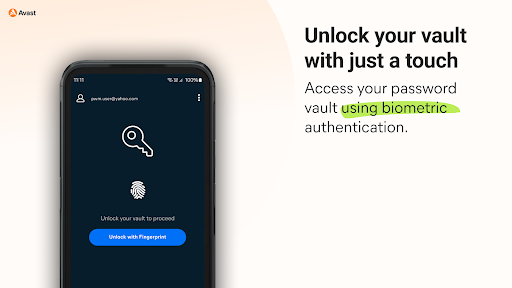
Easily secure all your passwords, credit cards, addresses, and sensitive information across the web and on any device with Avast Password Manager mobile app*.
SIMPLIFY YOUR LIFE
You no longer have to remember all your passwords or account emails, Avast Password Manager does it for you with our built-in auto-fill feature that pre-fills your login information with a tap.
SECURE YOUR DIGITAL LIFE
Secure your digital life from online threats with our end-to-end, zero-knowledge encryption password vault and built-in password generator that allows you to create strong and unique passwords on the go. With zero-knowledge encryption and two-factor authentication, only you can unlock and access your data, not even Avast has access to your vault. These security measures help keep your data safer from cybercriminals and hacking attempts.
WEAK PASSWORD DETECTION
Our security checks for weak passwords and easily detects and suggests unique, strong passwords, so you don’t have to spend time creating new passwords.
* Requires your device to have an internet connection. You can easily import your passwords from other browsers and other password managers to Avast Password Manager. All you need is to be on a Mac or Windows and have the extension on your browser. For more details go: https://support.avast.com/en-us/article/2730/
With the free version, we reserve the right to limit the number of entries (like passwords) at any time. This limitation won’t affect any existing entries in your vault.
PRIVACY POLICY
AVAST respects the privacy of our users and carefully safeguards personal data.
By using this add-on, you have read and agree with our General Privacy Policy (https://www.avast.com/privacy-policy) and Products Policy (https://www.avast.com/products-policy).
Comment télécharger l'APK de Avast Password Manager
- Entrez le nom du paquet
com.avast.passwordmanagersur la page d'accueil d'APK Downloader. - Sélectionnez l'architecture de votre appareil (ARM64 recommandé pour les appareils récents).
- Cliquez sur Télécharger pour obtenir le fichier APK fusionné.
- Transférez et installez l'APK sur votre appareil Android.
- Restez à jour: Visitez régulièrement APK Downloader pour rechercher et télécharger les dernières versions sécurisées de vos applications préférées.
Sécurité et Vérification de Signature
Ce téléchargement APK est 100% sûr. Nous vérifions que la signature cryptographique du fichier correspond aux informations d'identification officielles du développeur. Aucune modification ni adware n'est injecté.