
Sources de téléchargement
Device Configuration
Guide d'installation des APKs divisées (Split APKs)
Certaines applications sont distribuées sous forme d'APKs divisées (plusieurs fichiers .apk groupés) pour optimiser les ressources. Les installateurs Android standard ne peuvent pas les ouvrir.
Applications Connexes




Nouveautés
Contains software 2.4p3
À propos de cette application
With the ABL Configuration App, electricians can quickly and easily install and configure the ABL Wallbox eM4.
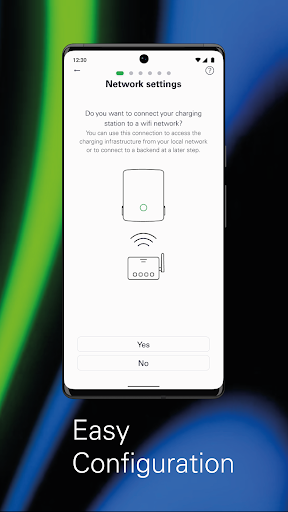
Easy Installation
With the ABL Configuration App, electricians can install and configure Wallbox eM4 in just a few steps, either as a Standalone variant or part of a group installation of Wallbox eM4 Controller and Extender variants. The app allows the configuration of different network topologies with WLAN, Ethernet or LTE, depending on the specific requirements at the installation site.
Technical Configuration
With this app, technical configurations can be performed according to all electrical specifications. This includes setting the correct output power and charging settings to guarantee the smooth operation of the charging station.
Load Management
ABL Configuration also includes functions for static and dynamic load management, which can be used to optimize the power utilization of the charging infrastructure. Static load management can be used to set the maximum power output for the charging station, ensuring that the available power supply is not exceeded. With dynamic load management, on the other hand, the charging station can automatically adjust the power output to the power consumption in the building to optimize the use of the available power. This ensures that even larger charging infrastructures charge vehicles efficiently without causing disruptions to the power grid.
Establishing Connection to a Charging Backend
With the ABL Configuration App, electricians can connect to a charging backend that allows users to access additional features such as billing, remote management and more. This allows the Wallbox eM4 to integrate with other systems and services, ensuring a seamless and integrated charging experience.
Charging Management
The app allows electricians to start, stop and monitor charging processes and view the status of the charging infrastructure. In addition, RFID users can be managed for authentication, ensuring that only authorized users have access to the charging station. The app can also be used to permanently lock the charging cable in the charger.
Diagnosis
ABL Configuration includes fault diagnosis tools that allow electricians to quickly identify and fix any problems that occur at the charging station. This maintains the smooth operation of the charging stations and reduces downtime to a minimum.
OTA Software Updates
OTA software updates to the app ensure that charging stations are always up to date with the latest features and improvements.
Comment télécharger l'APK de ABL Configuration
- Entrez le nom du paquet
com.abl_config_appsur la page d'accueil d'APK Downloader. - Sélectionnez l'architecture de votre appareil (ARM64 recommandé pour les appareils récents).
- Cliquez sur Télécharger pour obtenir le fichier APK fusionné.
- Transférez et installez l'APK sur votre appareil Android.
- Restez à jour: Visitez régulièrement APK Downloader pour rechercher et télécharger les dernières versions sécurisées de vos applications préférées.
Sécurité et Vérification de Signature
Ce téléchargement APK est 100% sûr. Nous vérifions que la signature cryptographique du fichier correspond aux informations d'identification officielles du développeur. Aucune modification ni adware n'est injecté.