
Sources de téléchargement
Device Configuration
Guide d'installation des APKs divisées (Split APKs)
Certaines applications sont distribuées sous forme d'APKs divisées (plusieurs fichiers .apk groupés) pour optimiser les ressources. Les installateurs Android standard ne peuvent pas les ouvrir.
Applications Connexes




À propos de cette application
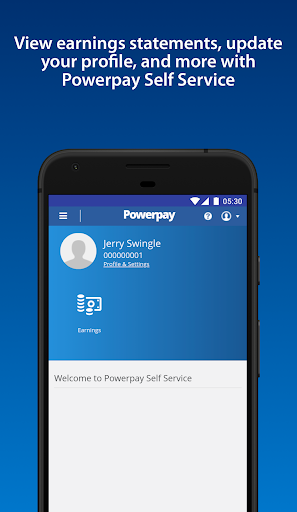
Need access to your work life from anywhere at any time? Powerpay Employee Self Service puts you in the driver’s seat with an engaging, intuitive mobile experience to access your most current pay details and personal information with the touch of your hand.
As an employee, being able to access your personal and pay information efficiently is critical to ensuring you get paid accurately and on-time. From checking your earnings, to downloading year-end tax forms and viewing your personal information. See how Powerpay’s Self Service mobile access can improve work life by providing secure, on-the-go access to your information so you can access information and save time, all at your convenience.
Powerpay makes pay day easier by helping small business stay in compliance with Canadian federal and provincial regulations while helping to ensure employees are paid accurately, on time, and from anywhere. Powerpay is trusted by over 47,000 Canadian small business owners. Please note: Powerpay Employee Self Service mobile access is only available to Powerpay customers. If you are an employee of a Powerpay customer, please check with your employer before downloading the app to see if they have activated the mobile option.
Comment télécharger l'APK de Powerpay Self Service
- Entrez le nom du paquet
ca.powerpay.selfservicesur la page d'accueil d'APK Downloader. - Sélectionnez l'architecture de votre appareil (ARM64 recommandé pour les appareils récents).
- Cliquez sur Télécharger pour obtenir le fichier APK fusionné.
- Transférez et installez l'APK sur votre appareil Android.
- Restez à jour: Visitez régulièrement APK Downloader pour rechercher et télécharger les dernières versions sécurisées de vos applications préférées.
Sécurité et Vérification de Signature
Ce téléchargement APK est 100% sûr. Nous vérifions que la signature cryptographique du fichier correspond aux informations d'identification officielles du développeur. Aucune modification ni adware n'est injecté.