
Fuentes de descarga
Device Configuration
Guía de instalación de APKs divididas (Split APKs)
Algunas aplicaciones se distribuyen como APKs divididas (varios archivos .apk empaquetados juntos) para optimizar recursos. Los instaladores estándar de Android no pueden abrirlas.
Aplicaciones Relacionadas




Novedades
What's new?
- Added Street View to the route planner
- New map layers: Ordnance Survey, swisstopo, USGS and more!
- New map zoom controls while navigating: always, only when cycling, or never
Bug fixes
- Fixed map zoom and gesture issues
- Improved Garmin and Wear OS connection reliability
- Fixed crashes and loading issues
- Improved pace split accuracy for runs
- Various smaller fixes and improvements
Acerca de esta aplicación
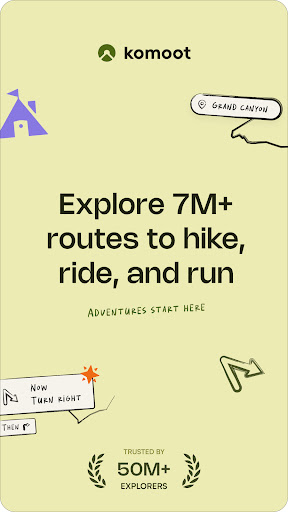
Turn your next ride, hike, or run into an adventure with komoot. Get inspired by tapping into shared community knowledge and recommendations, then bring your adventures to life with the easy route planner. Get your first region for free and say hello to your next adventure!
Plan Your Perfect Hiking, Road Cycling, or Mountain Bike Adventure
Get the route perfect for your sport—be it smooth asphalt for your road bike, singletrack for your mountain bike, silent cycling paths for touring, or natural hiking trails for your hikes. Plan down to the last detail with at-your-fingertips info like surface, difficulty, distance, and elevation profile, and check your running, walking or bicycle progress with the GPS tracker.
Turn-by-Turn GPS Voice Navigation
Never take your eyes off the road with turn-by-turn, GPS voice navigation: Your precise, down-to-the-inch verbal navigator that doesn’t distract you from your surroundings.
Offline Trail Maps for Outdoor Adventures
Download your planned outdoor adventures and save topographic maps with one tap. Navigate the outdoors even when the internet is down or unreliable. Differentiate hiking trails, singletrack, paved roads, MTB trails, terrain, and land cover with one glance.
Browse Highlights: The komoot Community’s Favorite Places
So you can decide on the destination of your next adventure at a glance, see Highlights on the trail map. From peaks, parks, and points of interest, to singletracks, mtb trails, hikes and sandwich shops, these places or segments, showing up as red dots in the planner, are the spots other users think you should check out. And if you’re in the know, you can recommend your own to the community and inspire others to visit your favorite places, too.
Tell Your Story
Map your bicycle, walking and running adventures with the GPS tracker. Add photos, Highlights and tips and build your own personal adventure log that’ll store your favorite experiences—forever. Save them for private use or share them with the komoot community. Follow your friends and like-minded explorers to keep up with their outdoor adventures.
Be a Local Expert. Become a Pioneer.
Contribute photos, tips and Highlights and show you’re a local Expert. Earn more upvotes than anyone else for your sport in your region and become the Pioneer!
Seamless Sync Across Every Device
Whether you prep like a pro on your desktop or plan a route on the go, komoot automatically syncs your bike routes, hiking and running tracks, mtb trail photos across all devices, including your smartphone, desktop, tablet and Wear OS. You can use the komoot complication icon on your Wear OS device to quickly launch the komoot app from your watch’s homescreen. Use the komoot app tiles to easily start navigation or select a planned Tour to begin.
Experience Komoot For Free
When you download komoot, your first region is free—forever. To expand the areas in which komoot has your back, conveniently choose between single regions, region bundles or the World Pack to access offline trail maps, bike routes, turn-by-turn, GPS voice navigation and map your bicycle, walking and running adventures with the GPS tracker wherever you go.
Supported Devices
• Garmin - Download the komoot Garmin app in the IQ store and sync your accounts via Garmin Connect to share komoot walking, running and bike GPS routes with your Garmin device
• Wahoo - Connect your komoot account to your Wahoo ELEMNT or ELEMNT BOLT bike computer to access the best bike GPS routes and sync back your recorded tracks
• Sigma - Sync komoot with your Sigma GPS computer to get directions, distance, and speed in real-time right on your head-unit
• Bosch - Connect komoot with your Kiox or Nyon to record Tours and get navigated on your device
• Visit www.komoot.com/devices for a full breakdown
For support and tips, please visit komoot support./
Cómo descargar komoot - hike, bike & run APK
- Ingrese el nombre del paquete
de.komoot.androiden la página de inicio de APK Downloader. - Seleccione la arquitectura de su dispositivo (se recomienda ARM64 para dispositivos modernos).
- Haga clic en Descargar para obtener el archivo APK fusionado.
- Transfiera e instale el APK en su dispositivo Android.
- Manténgase actualizado: Visite APK Downloader regularmente para buscar y descargar las últimas versiones seguras de sus aplicaciones favoritas.
Seguridad y Verificación de Firma
Esta descarga de APK es 100% segura. Verificamos que la firma criptográfica del archivo coincida con las credenciales oficiales del desarrollador. No se inyectan modificaciones ni adware.