
Fuentes de descarga
Device Configuration
Guía de instalación de APKs divididas (Split APKs)
Algunas aplicaciones se distribuyen como APKs divididas (varios archivos .apk empaquetados juntos) para optimizar recursos. Los instaladores estándar de Android no pueden abrirlas.
Aplicaciones Relacionadas




Acerca de esta aplicación
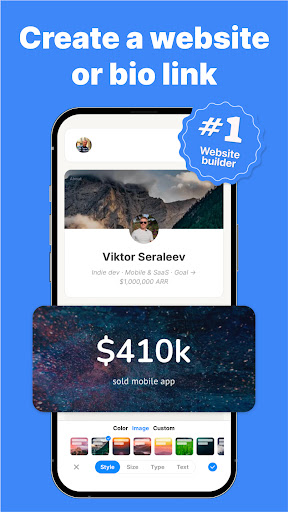
Type.link is an AI website builder and all-in-one tool that helps creators build beautiful mini websites in minutes. Unlike a simple link in bio, Type.link gives you the power of a full website maker — with templates, blog tools, analytics, and more.
Whether you are moving from Linktree, Milkshake, Beacons AI, or looking for a modern alternative to Blogger com, Bento me, Tumblr, or WordPress website builder, Type.link offers everything in one place. Create your own page to share social links, videos, blog posts, or even products — without coding.
Why Type.link?
- All in one: mini-site, blog, analytics, custom domain, team features.
- Easy drag-and-drop widgets to customize your website.
- Ready-to-use templates let you launch your page quickly and effortlessly.
- Customize with unlimited widgets — profiles, links, social, images, videos and more.
- Blog, custom domains, and team collaboration baked in — everything in one tool.
- Faster and simpler than GoDaddy, Squarespace, or WordPress.
- Built for performance — fast-loading mobile-optimized pages designed for SEO.
- Insightful analytics give you real-time data on visitor behavior and engagement.
- Loved by creators everywhere.
Features at a glance:
- Build a polished mini site in minutes with our website maker.
- Launch a polished mini-site in minutes using beautiful templates.
- Add, arrange, and style widgets to match your brand.
- Publish blog posts directly from the app.
- Use your own domain for a personalized look.
- Collaborate with your team for seamless updates.
- Track performance with analytics tools built-in.
- Trusted by creators worldwide as a modern link in bio solution.
Discover Type.link: transform your bio link into a powerful personal site.
Key Features:
- Mini-Site Builder — Launch a custom site in minutes.
- Drag-and-Drop Widgets — Add anything from social buttons to images.
- Built-in Blog — Create posts directly in your miniature website.
- Custom Domains & Team Tools — Present professionally with your domain; collaborate seamlessly.
- SEO-Ready & Fast — Optimized for mobile performance and search.
- Analytics — Understand your visitors with built-in insights.
- Trusted by Creators — A modern link in bio creator loved by influencers and brands.
Type.link is more than a boring bio link—it’s an all-in-one website builder trusted by creators worldwide! #1 Product of the week bt Design Tools on Product Hunt.
Support: support@type.link
Cómo descargar Typelink: Link in bio Creator APK
- Ingrese el nombre del paquete
com.typelink.appen la página de inicio de APK Downloader. - Seleccione la arquitectura de su dispositivo (se recomienda ARM64 para dispositivos modernos).
- Haga clic en Descargar para obtener el archivo APK fusionado.
- Transfiera e instale el APK en su dispositivo Android.
- Manténgase actualizado: Visite APK Downloader regularmente para buscar y descargar las últimas versiones seguras de sus aplicaciones favoritas.
Seguridad y Verificación de Firma
Esta descarga de APK es 100% segura. Verificamos que la firma criptográfica del archivo coincida con las credenciales oficiales del desarrollador. No se inyectan modificaciones ni adware.