
Fuentes de descarga
Device Configuration
Guía de instalación de APKs divididas (Split APKs)
Algunas aplicaciones se distribuyen como APKs divididas (varios archivos .apk empaquetados juntos) para optimizar recursos. Los instaladores estándar de Android no pueden abrirlas.
Aplicaciones Relacionadas




Novedades
- You can now change note text color.
- We’ve fixed some bugs and made the app run smoother for everyone.
Acerca de esta aplicación
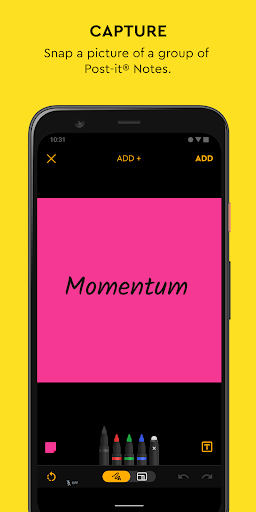
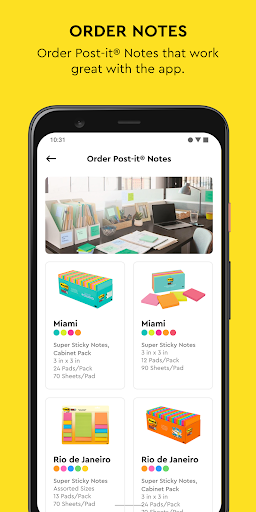
Use Post-it® Notes anywhere and anytime. Post-it® App brings the simplicity of Post-it® Notes to your smartphone, tablet and Chromebook. Whether you use Post-it® Notes for teamwork and collaboration, or for reminders and personal note taking, Post-it® App helps you keep the momentum going.
If you work from home or as a student in remote learning, use the Post-it® App to share your ideas with co-workers, structure your assignments and share them with your teacher, or create colorful calendars and share them with your friends.
Simply capture analog notes with your camera or create digital notes right on your device. Arrange, refine and organize ideas anyway you see fit. Collaborate and share notes with co-workers, teachers and friends, or export to your favorite apps and cloud services—including Miro, Trello, Dropbox, PowerPoint, Excel, PDF, and more.
Post-it® App features:
• Connect and share ideas from anywhere with co-workers and friends, whether it be a workshop or you simply want to share notes with each other.
• Capture more than 200 Post-it® Notes at a time with your camera. All our popular note sizes are supported.
• Transcribe your notes automatically using Handwriting Recognition. Great for search and exports.
• Draw, erase, type and change the color of your notes using powerful editing tools.
• Organize your way—group your ideas by thought or simply organize on a grid.
• Share to your favorite formats and cloud services to continue working on your ideas digitally—supports Miro, Trello, Dropbox, PowerPoint, Excel, PDF, and more.
• Use our Widget to put your most important notes directly on your home screen.
Learn more about Post-it® App at post-it.com/app
Terms of Service: https://www.post-it.com/3M/en_US/post-it/ideas/app/eula/
Cómo descargar Post-it® APK
- Ingrese el nombre del paquete
com.mmm.postiten la página de inicio de APK Downloader. - Seleccione la arquitectura de su dispositivo (se recomienda ARM64 para dispositivos modernos).
- Haga clic en Descargar para obtener el archivo APK fusionado.
- Transfiera e instale el APK en su dispositivo Android.
- Manténgase actualizado: Visite APK Downloader regularmente para buscar y descargar las últimas versiones seguras de sus aplicaciones favoritas.
Seguridad y Verificación de Firma
Esta descarga de APK es 100% segura. Verificamos que la firma criptográfica del archivo coincida con las credenciales oficiales del desarrollador. No se inyectan modificaciones ni adware.