
Fuentes de descarga
Device Configuration
Guía de instalación de APKs divididas (Split APKs)
Algunas aplicaciones se distribuyen como APKs divididas (varios archivos .apk empaquetados juntos) para optimizar recursos. Los instaladores estándar de Android no pueden abrirlas.
Aplicaciones Relacionadas


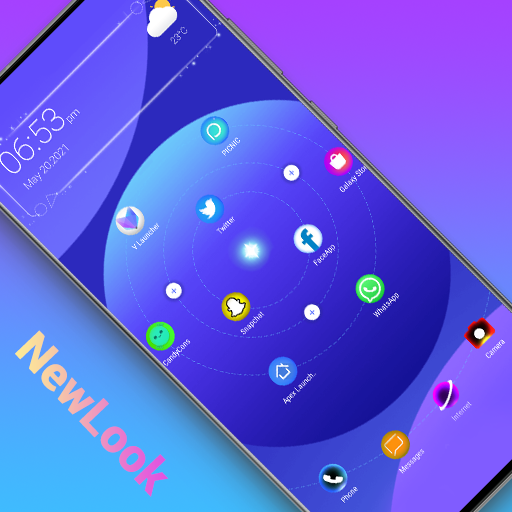


Novedades
1. Fixed crash bugs
Acerca de esta aplicación
Love Launcher ❤️ is a lovely launcher, bring you refresh launcher experience; it has love shape, love icon, love widget and love theme,
making your day fill with love. Love Launcher also has many beautiful themes, cool icon packs, various effects, huge customization, and much more.
🌟🌟🌟🌟🌟Love Launcher features:
+ Love Launcher can be installed on all Android 5.0+ devices
+ Love Launcher bring you lovely and refresh launcher user experience
+ Many 3D live wallpapers, 4D parallax wallpapers, video wallpapers
+ Love Launcher's theme library has more than 300+ beautiful themes
+ Love Launcher support all most all the third party icon pack on Google Play
+ Cool launcher finger click effects: wave, flowers, weather, feather, bubble...
+ Various transition effects for desktop: cube in/out, wave, cross...
+ Support 20+ icon shape: square, circle, love, cat, hive, star...
+ Support 10+ gestures: swipe up/down, pinch in/out, two fingers gestures
+ Handy apps drawer: A-Z location bar and app search bar in launcher drawer to find apps quickly
+ Apps drawer mode: horizontal mode, vertical mode, vertical with category
+ You may config launcher icon grid, icon size
+ You may config launcher drawer background
+ You may customize icon label color, lock desktop option
+ You may enable cool finger animation effect on launche desktop
+ Love Launcher support hide apps and lock apps to protect your privacy
+ Love Launcher support notification badge in launher desktop
+ Love Launcher has weather widget shown in laucnher desktop
+ When you press on icon in Love Launcher, you get context menu to edit icon, remove app, create folder, etc
+ Long press on blank space in desktop, you may enter edit mode to manage desktop well
Please try Love Launcher, it will bring you lovely and new launcher experience, and you may get many more powerful, funny, cool features and native launcher.
❤️Your comments are welcome, please help us to make Love Launcher better and better, thanks a lot
Notice:
1. Android™ is a registered trademark of Google, Inc.
Cómo descargar Love Launcher: lovely launcher APK
- Ingrese el nombre del paquete
com.love.launcher.hearten la página de inicio de APK Downloader. - Seleccione la arquitectura de su dispositivo (se recomienda ARM64 para dispositivos modernos).
- Haga clic en Descargar para obtener el archivo APK fusionado.
- Transfiera e instale el APK en su dispositivo Android.
- Manténgase actualizado: Visite APK Downloader regularmente para buscar y descargar las últimas versiones seguras de sus aplicaciones favoritas.
Seguridad y Verificación de Firma
Esta descarga de APK es 100% segura. Verificamos que la firma criptográfica del archivo coincida con las credenciales oficiales del desarrollador. No se inyectan modificaciones ni adware.