
Fuentes de descarga
Device Configuration
Guía de instalación de APKs divididas (Split APKs)
Algunas aplicaciones se distribuyen como APKs divididas (varios archivos .apk empaquetados juntos) para optimizar recursos. Los instaladores estándar de Android no pueden abrirlas.
Aplicaciones Relacionadas



Novedades
Bug fixes and improvements
Acerca de esta aplicación
Antivirus for Android is a multi-function and convenient app that will help you protect and clean your device! Antivirus for Android – reliable protection of your device against viruses, ensuring the security of your device's and personal data.
Main features:
● Antivirus - virus removal and security improvements.
Device protection against hacker attacks. The antivirus will scan, detect and delete viruses on your device. Device protection against all potential threats: viruses, trojans, malware, spyware, and adware.
● Cleaning and device configuration by deleting needless background tasks. Disable startup apps to decrease memory usage.
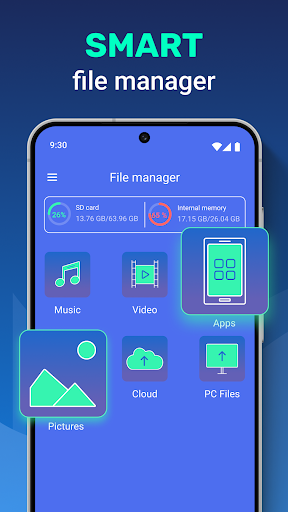
● File manager - useful instrument for file management on your device. Wireless connection to any other device.
● VPN - VPN protects your privacy on the internet and hides your IP address. With our built-in VPN, you can access geo-restricted content and protect your online privacy by encrypting your internet traffic.
● Apps protection helps you protect your apps, personal data, and conversations from other people.
In our app, you can use the AccessibilityService API to clean and configure your device conveniently and to protect your apps and data stored on the device from access by third parties. To do so, you will need to carefully read the terms and confirm the use of this API in our app. With use of the AccessibilityService API our app does not collect, process, store or send data about the device or its owner to third parties.
Cómo descargar Antivirus - Cleaner + VPN APK
- Ingrese el nombre del paquete
cleaner.antivirusen la página de inicio de APK Downloader. - Seleccione la arquitectura de su dispositivo (se recomienda ARM64 para dispositivos modernos).
- Haga clic en Descargar para obtener el archivo APK fusionado.
- Transfiera e instale el APK en su dispositivo Android.
- Manténgase actualizado: Visite APK Downloader regularmente para buscar y descargar las últimas versiones seguras de sus aplicaciones favoritas.
Seguridad y Verificación de Firma
Esta descarga de APK es 100% segura. Verificamos que la firma criptográfica del archivo coincida con las credenciales oficiales del desarrollador. No se inyectan modificaciones ni adware.