
ডাউনलोड উৎস
Device Configuration
স্প্লিট এপিকে (Split APK) ইনস্টলেশন গাইড
কিছু অ্যাপস স্প্লিট এপিকে (একাধিক .apk ফাইল একসঙ্গে প্যাকেজ করা) হিসেবে বিতরণ করা হয়। সাধারণ অ্যান্ড্রয়েড ইনস্টলার এগুলো ইনস্টল করতে পারে না।
সম্পর্কিত অ্যাপ্লিকেশন




앱 সম্পর্কে
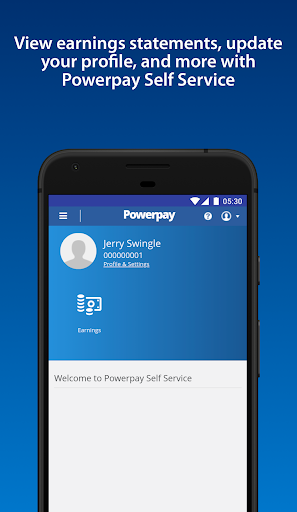
Need access to your work life from anywhere at any time? Powerpay Employee Self Service puts you in the driver’s seat with an engaging, intuitive mobile experience to access your most current pay details and personal information with the touch of your hand.
As an employee, being able to access your personal and pay information efficiently is critical to ensuring you get paid accurately and on-time. From checking your earnings, to downloading year-end tax forms and viewing your personal information. See how Powerpay’s Self Service mobile access can improve work life by providing secure, on-the-go access to your information so you can access information and save time, all at your convenience.
Powerpay makes pay day easier by helping small business stay in compliance with Canadian federal and provincial regulations while helping to ensure employees are paid accurately, on time, and from anywhere. Powerpay is trusted by over 47,000 Canadian small business owners. Please note: Powerpay Employee Self Service mobile access is only available to Powerpay customers. If you are an employee of a Powerpay customer, please check with your employer before downloading the app to see if they have activated the mobile option.
কীভাবে Powerpay Self Service এপিকে ডাউনলোড করবেন
- APK Downloader হোমপেজে প্যাকেজ নাম
ca.powerpay.selfserviceলিখুন। - আপনার ডিভাইসের আর্কিটেকচার নির্বাচন করুন (আধুনিক ডিভাইসের জন্য ARM64 সুপারিশকৃত)।
- একত্রিত এপিকে ফাইল পেতে ডাউনলোড করুন এ ক্লিক করুন।
- আপনার অ্যান্ড্রয়েড ডিভাইসে এপিকে স্থানান্তর এবং ইনস্টল করুন।
- আপডেট থাকুন: আপনার প্রিয় অ্যাপগুলির সর্বশেষ নিরাপদ সংস্করণগুলি অনুসন্ধান এবং ডাউনলোড করতে নিয়মিত APK Downloader ভিজিট করুন।
নিরাপত্তা ও স্বাক্ষর যাচাইকরণ
এই APK ডাউনলোডটি ১০০% নিরাপদ। আমরা যাচাই করি যে ফাইলটির ক্রিপ্টোগ্রাফিক স্বাক্ষর অফিশিয়াল ডেভেলপারের ক্রেডেনশিয়ালের সাথে মেলে। কোনো মডিফিকেশন বা অ্যাডওয়্যার নেই।