
مصادر التحميل
Device Configuration
دليل تثبيت حزم APK المجزأة (Split APKs)
يتم توزيع بعض التطبيقات كحزم APK مجزأة (ملفات .apk متعددة معاً) لتحسين الموارد. ولا يمكن لمثبت أندرويد القياسي فتحها.
التطبيقات ذات صلة


ما الجديد
- Introduced Angular Gradients 🎨
- Rebuilt settings screen with modern UI components
- Improved overall stability
- Fixed UI issues in the upload screen
حول هذا التطبيق
We created IPS with the idea that no icon pack can fit your home screen better than the one you create by yourself. With IPS you can create an icon pack from scratch or you can download and apply one of thousand uploaded every day by our community.
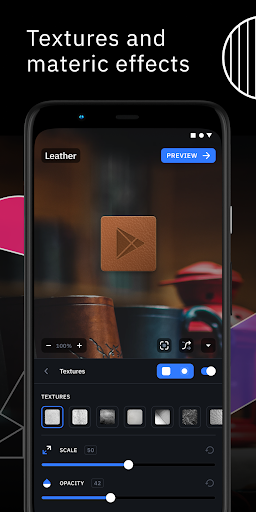
The advanced editor allows you to resize and move any element of your custom icon. Use special filters like lights, shadows, textures, and bezels and when you're happy with the result, apply the new icon pack to your custom launcher in just a few taps.
Icon Pack Studio is not only an icon pack maker, starting from version 2 you can import and tweak any icon pack installed on your device.
Icon packs created with Icon Pack Studio cover any app on your device No other icon pack downloaded from Play Store can do the same.
Icon Pack Studio is designed to work with Smart Launcher but works with almost any launcher
Tested launchers:
- Nova Launcher
- Action Launcher
- Lawnchar Launcher
- Hyperion Launcher
- Poco Launcher
- Miui Launcher
- ADW Launcher
- Microsoft Launcher
- Evie Launcher
- Total Launcher
- Niagara Launcher
- Square Home Launcher
- Apex Launcher
- Apex Launcher Classic
Unsupported launchers:
- Xperia Home Launcher
- Aviate
- Pixel Launcher
- AOSP Launcher
- Huawei Launcher
- Yahoo Japan Launcher
- +Home Launcher
- Samsung One UI Home
- LINE/Dodol Launcher
- Yandex Launcher
Many other launchers not in the list may be compatible with IPS.
كيفية تنزيل APK Icon Pack Studio
- أدخل اسم الحزمة
ginlemon.iconpackstudioفي الصفحة الرئيسية لـ APK Downloader. - حدد بنية جهازك (يوصى بـ ARM64 للأجهزة الحديثة).
- انقر فوق تنزيل للحصول على ملف APK المدمج.
- قم بنقل وتثبيت APK على جهاز Android الخاص بك.
- ابقَ على اطلاع: قم بزيارة APK Downloader بانتظام للبحث عن أحدث الإصدارات الآمنة من تطبيقاتك المفضلة وتنزيلها.
الأمان والتحقق من التوقيع
تحميل ملف APK هذا آمن بنسبة 100٪. نحن نتحقق من أن التوقيع التشفيري للملف يطابق بيانات المطور الرسمية. لا توجد تعديلات أو إعلانات مدمجة.