
مصادر التحميل
Device Configuration
دليل تثبيت حزم APK المجزأة (Split APKs)
يتم توزيع بعض التطبيقات كحزم APK مجزأة (ملفات .apk متعددة معاً) لتحسين الموارد. ولا يمكن لمثبت أندرويد القياسي فتحها.
التطبيقات ذات صلة



ما الجديد
What's New:
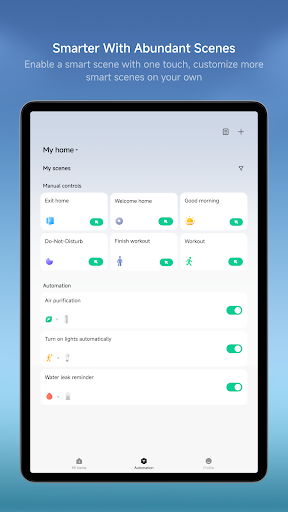
• Automation supports periodic execution of device actions, e.g., automatically turning on the electric blanket every 20 minutes.
حول هذا التطبيق
A professional app to help you manage your intelligent devices.
Key Features:
Add new devices with a few easy steps
Control your device wherever you are
Get the status of your devices in real time
Share your devices with friends and family members
Set up and perform intelligent tasks
Key devices(availability may vary by model and region):
Camera: Live view, quick snapshots and video clips, plus easy access to recent events and history playback.
Printers: Printing-oriented templates and workflows, with built-in media selection and pre-checks to help meet printing requirements; supports richer creation flows (e.g., collage-style layouts and mixed media selection when needed) for a smoother end-to-end experience.
Lights:Support remote on/off control, brightness and color temperature adjustment, scene automation, and scheduling for a more comfortable smart lighting experience.
Air Conditioners: Support remote power control, temperature adjustment, mode switching, and smart automations to help users manage indoor comfort anytime, anywhere.
Fans:Support remote speed control, oscillation settings, scheduling, and integration with other smart devices for automated operation.
Switches: Support remote control of household lighting and electrical appliances, with automation capabilities that enable a more convenient smart home experience.
Smart Plugs & Power Strips: Support remote power control, scheduled operations, energy usage statistics (on supported devices), and smart automations to improve device management efficiency.
Notes
Xiaomi Home app obtained the Kitemark™ Certification for Secure Digital Applications: https://trust.mi.com/security
Device support may vary by region—please refer to the product manual or official website.
كيفية تنزيل APK Xiaomi Home
- أدخل اسم الحزمة
com.xiaomi.smarthomeفي الصفحة الرئيسية لـ APK Downloader. - حدد بنية جهازك (يوصى بـ ARM64 للأجهزة الحديثة).
- انقر فوق تنزيل للحصول على ملف APK المدمج.
- قم بنقل وتثبيت APK على جهاز Android الخاص بك.
- ابقَ على اطلاع: قم بزيارة APK Downloader بانتظام للبحث عن أحدث الإصدارات الآمنة من تطبيقاتك المفضلة وتنزيلها.
الأمان والتحقق من التوقيع
تحميل ملف APK هذا آمن بنسبة 100٪. نحن نتحقق من أن التوقيع التشفيري للملف يطابق بيانات المطور الرسمية. لا توجد تعديلات أو إعلانات مدمجة.