
مصادر التحميل
Device Configuration
دليل تثبيت حزم APK المجزأة (Split APKs)
يتم توزيع بعض التطبيقات كحزم APK مجزأة (ملفات .apk متعددة معاً) لتحسين الموارد. ولا يمكن لمثبت أندرويد القياسي فتحها.
التطبيقات ذات صلة




ما الجديد
General bug fixes and improvements
حول هذا التطبيق
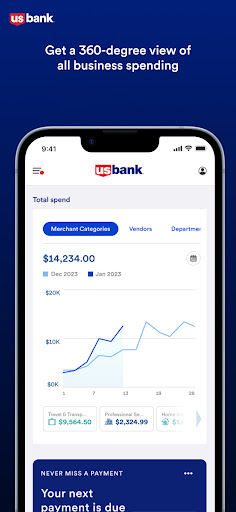
With Spend Management’s powerful features and robust card controls, you can optimize your business spending while saving time, money and effort.
Get a complete view of your business spending with analytics to understand your spending on a deeper level. Craft the perfect cards by adding custom cards tailored to your employees. Each card has controls that keep you in charge, so your employees are empowered to make authorized purchases, while you can rest easy knowing their purchases are within the limits you specify - no approval or reimbursement workflows required.
Easily keep transactions organized by adding receipts, tags and notes, and create auto-categorization rules to save time with monthly bookkeeping. Create expense policies and organize employees into departments to help manage your growing team, and add department leads and administrators to delegate responsibility. As your business grows, Spend Management grows with you.
كيفية تنزيل APK U.S. Bank Spend Management
- أدخل اسم الحزمة
com.usbank.spendmanagementفي الصفحة الرئيسية لـ APK Downloader. - حدد بنية جهازك (يوصى بـ ARM64 للأجهزة الحديثة).
- انقر فوق تنزيل للحصول على ملف APK المدمج.
- قم بنقل وتثبيت APK على جهاز Android الخاص بك.
- ابقَ على اطلاع: قم بزيارة APK Downloader بانتظام للبحث عن أحدث الإصدارات الآمنة من تطبيقاتك المفضلة وتنزيلها.
الأمان والتحقق من التوقيع
تحميل ملف APK هذا آمن بنسبة 100٪. نحن نتحقق من أن التوقيع التشفيري للملف يطابق بيانات المطور الرسمية. لا توجد تعديلات أو إعلانات مدمجة.