
مصادر التحميل
Device Configuration
دليل تثبيت حزم APK المجزأة (Split APKs)
يتم توزيع بعض التطبيقات كحزم APK مجزأة (ملفات .apk متعددة معاً) لتحسين الموارد. ولا يمكن لمثبت أندرويد القياسي فتحها.
التطبيقات ذات صلة




ما الجديد
Performance improvement
حول هذا التطبيق
■App Details
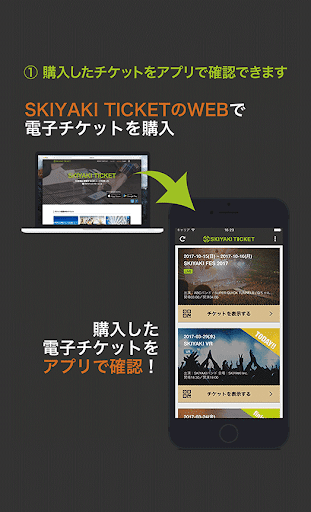
This app is for SKIYAKI TICKET(https://ticket.skiyaki.tokyo/en/). With this app, you will be able to enter the concert and events without the actual paper-ticket.
※To purchase a ticket in SKIYAKI TICKET, you’ll need the device with this app installed.
■Function List in this App
【How to check tickets】
When you log in with the SKIYAKI ID and password which used to buy SKIYAKI TICKET (Web service), you’ll see the ticket list in the page.
You can find how many tickets you have and event details from that ticket list page.
※This app cannot be used for purchasing tickets. Go to the web service to buy a ticket.
※In the list, you’ll see the tickets available for you.
The app won’t display any lottery results or tickets that haven’t been purchased, so go to the web service for those tickets.
【How to enter】
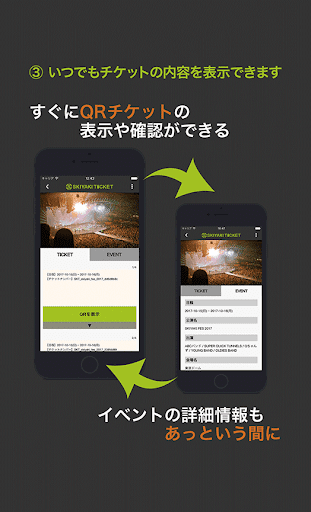
From the ticket detail screen, press ”Enter” button and display the QR code.
When you are in line, please show the QR code to the entrance staff.
The entrance staff will verify your QR code with the SKIYAKI Reader app. After completing verification, you can enter the venue.
※ Your ticket can be displayed when you are off-line.
※Once the QR code is verified, you cannot use the QR code once more. Please watch out for its use.
※Only one person can enter the venue with one QR code.
If other users get into the venue at once, please find another QR code on the ticket page.
※QR code changes every 30 minutes, you cannot enter the venue with its screen shot.
Make sure to display the QR code in the application.
【How to share tickets】
By sharing the tickets, you can share one of your tickets to your friend.
Click “Share Ticket” button in the ticket detail page and enter the phone number of your friend you want to share the ticket with.
Your friend will get the email of ticket sharing.
Before your friend receive the ticket, you can cancel the ticket sharing.
Select the ticket shared and click ”Cancel Sharing” to cancel the ticket share.
※The users have to be SKIYAKI TICKET members as well as completing SMS verification and logged in SKIYAKI TICKET App.
※You cannot re-share the ticket shared with others.
※You cannot share the ticket with others when you have only one ticket with.
※You cannot cancel the ticket sharing once it’s completed.
■What’s SKIYAKI TICKET?
SKIYAKI TICKET is the electronic ticketing service operated by SKIYAKI.
You can create an account for free.
You can purchase the ticket with multiple payments, such as credit card, convenience store payment, and PayPal, and the ticketing service is safe and secured due to its strong verification system.
※The QR code is the registered trademark for DENSO WAVE INCORPORATED.
كيفية تنزيل APK SKIYAKI TICKET !
- أدخل اسم الحزمة
com.tokyo.skiyaki.SkiyakiTicketفي الصفحة الرئيسية لـ APK Downloader. - حدد بنية جهازك (يوصى بـ ARM64 للأجهزة الحديثة).
- انقر فوق تنزيل للحصول على ملف APK المدمج.
- قم بنقل وتثبيت APK على جهاز Android الخاص بك.
- ابقَ على اطلاع: قم بزيارة APK Downloader بانتظام للبحث عن أحدث الإصدارات الآمنة من تطبيقاتك المفضلة وتنزيلها.
الأمان والتحقق من التوقيع
تحميل ملف APK هذا آمن بنسبة 100٪. نحن نتحقق من أن التوقيع التشفيري للملف يطابق بيانات المطور الرسمية. لا توجد تعديلات أو إعلانات مدمجة.