
مصادر التحميل
Device Configuration
دليل تثبيت حزم APK المجزأة (Split APKs)
يتم توزيع بعض التطبيقات كحزم APK مجزأة (ملفات .apk متعددة معاً) لتحسين الموارد. ولا يمكن لمثبت أندرويد القياسي فتحها.
التطبيقات ذات صلة




ما الجديد
- Create consistent notes faster with Workspace Templates
- UI and overall experience improvements
حول هذا التطبيق
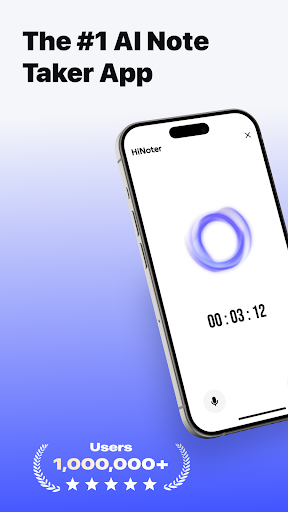
HiNoter helps you capture every idea — automatically recording, transcribing, and summarizing meetings, lectures, and interviews so you can stay focused on what truly matters.
With one tap, HiNoter records crystal-clear audio, generates accurate transcripts with speaker labels, and creates concise summaries and AI-powered mind maps. Ask questions like “What were the main takeaways from today’s team meeting?” and get instant, intelligent answers.
Why HiNoter?
●Stay focused — Be present in the moment while HiNoter takes perfect notes for you.
●Save hours — Get AI-generated summaries and mind maps that help you see the big picture instantly.
●Search smarter — Type a keyword to jump straight to that moment in your audio.
●Collaborate easily — Share recordings and notes with your team whenever you want.
●Your data, your control — HiNoter protects your recordings with enterprise-grade security, and sharing is always your choice.
Who Uses HiNoter?
●Professionals: Capture meetings, action items, and client discussions.
●Students: Record and review lectures and study sessions.
●Researchers & Journalists: Transcribe and organize interviews.
●Everyone: From brainstorming to voice memos, HiNoter handles it all.
Key Features
●One-tap recording and AI transcription
●HiNoter automatically joins your calendar meetings to record and summarize
●Upload audio files or YouTube links for instant transcription
●Speaker identification with high accuracy
●AI-generated summaries and mind maps
●Ask AI anything about your recordings
●All your recordings and notes are securely encrypted
Subscription Plans:
Description:
This is a continuous subscription service (Weekly / Yearly). During the subscription period, users can access all features of the app without limitation.
Payment:
Once the purchase is confirmed, the corresponding fee will be charged from the user's iTunes account.
Auto-Renewal:
24 hours before the current subscription period ends, Apple will automatically charge the corresponding fee from your iTunes account to renew the plan (weekly or yearly). Once the renewal is successful, your membership will be extended for the next billing cycle.
Cancellation:
To avoid being charged for the next cycle, please cancel your subscription at least 24 hours before the current period expires. After cancellation, no further charges will be made.
Terms of Service: https://recorder.nieruo.com/agreement/terms-of-service.html
Privacy Policy: https://recorder.nieruo.com/agreement/privacy-policy.html
كيفية تنزيل APK HiNoter - AI Note Taker
- أدخل اسم الحزمة
com.recordpro.audiorecordفي الصفحة الرئيسية لـ APK Downloader. - حدد بنية جهازك (يوصى بـ ARM64 للأجهزة الحديثة).
- انقر فوق تنزيل للحصول على ملف APK المدمج.
- قم بنقل وتثبيت APK على جهاز Android الخاص بك.
- ابقَ على اطلاع: قم بزيارة APK Downloader بانتظام للبحث عن أحدث الإصدارات الآمنة من تطبيقاتك المفضلة وتنزيلها.
الأمان والتحقق من التوقيع
تحميل ملف APK هذا آمن بنسبة 100٪. نحن نتحقق من أن التوقيع التشفيري للملف يطابق بيانات المطور الرسمية. لا توجد تعديلات أو إعلانات مدمجة.