
مصادر التحميل
Device Configuration
دليل تثبيت حزم APK المجزأة (Split APKs)
يتم توزيع بعض التطبيقات كحزم APK مجزأة (ملفات .apk متعددة معاً) لتحسين الموارد. ولا يمكن لمثبت أندرويد القياسي فتحها.
التطبيقات ذات صلة




ما الجديد
Fonty Keyboard is finally here. Send callout messages with your own created fonts.
حول هذا التطبيق
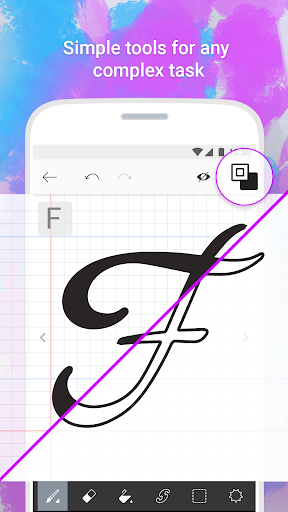
Create your own fonts with Fonty - the easy-to-use font making app that provides limitless font customization for everyone. The font editor gives you full creative power to make truly unique handwritten fonts or simply personalize existing ones and express yourself through text. Draw your own letters, use shapes, cut and splice, and even add awesome clipart, Fonty has got it all. Whether you're a lettering newbie or a seasoned typography master, you'll never want to use boring old fonts again.
Features:
Auto-save and Drafts so you never lose your work
Font Preview to see how your new alphabet looks every step of the way
Easy font export to other devices and applications
Visual guides and lettering hints to help you along the way
Support for over 15 languages and alphabets, with more coming soon
Brushes to make elegant calligraphy
Stickers to truly personalize and beautify your fonts
كيفية تنزيل APK Fonty - Draw and Make Fonts
- أدخل اسم الحزمة
com.palabs.fontyفي الصفحة الرئيسية لـ APK Downloader. - حدد بنية جهازك (يوصى بـ ARM64 للأجهزة الحديثة).
- انقر فوق تنزيل للحصول على ملف APK المدمج.
- قم بنقل وتثبيت APK على جهاز Android الخاص بك.
- ابقَ على اطلاع: قم بزيارة APK Downloader بانتظام للبحث عن أحدث الإصدارات الآمنة من تطبيقاتك المفضلة وتنزيلها.
الأمان والتحقق من التوقيع
تحميل ملف APK هذا آمن بنسبة 100٪. نحن نتحقق من أن التوقيع التشفيري للملف يطابق بيانات المطور الرسمية. لا توجد تعديلات أو إعلانات مدمجة.