
مصادر التحميل
Device Configuration
دليل تثبيت حزم APK المجزأة (Split APKs)
يتم توزيع بعض التطبيقات كحزم APK مجزأة (ملفات .apk متعددة معاً) لتحسين الموارد. ولا يمكن لمثبت أندرويد القياسي فتحها.
التطبيقات ذات صلة


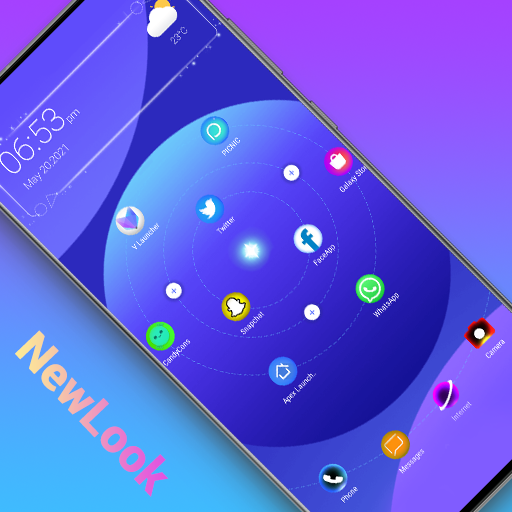


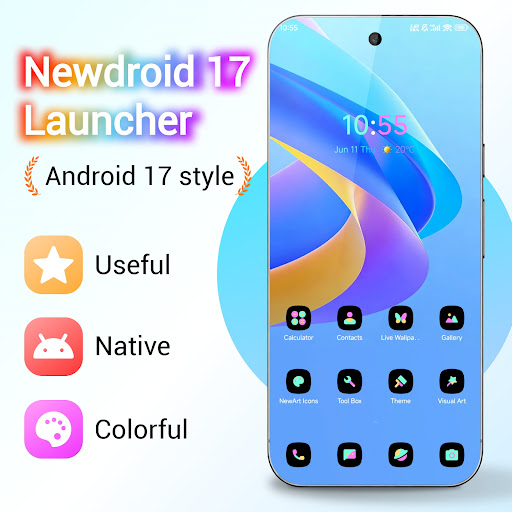


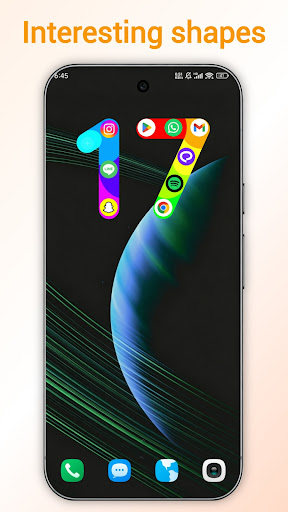
ما الجديد
1. Added a number 17 style to the third screen widget
2. Added a distracting app feature
3. Optimized the original default color themes, and added several new color themes
4. Fixed the issue where users couldn't find the default themes in the theme store
5. Optimized the home screen widget color
6. Optimized the guide page themes
حول هذا التطبيق
NewDroid 17 Launcher is made for you to experience Android™ 17 Launcher features. NewDroid 17 Launcher make your phone's homescreen/desktop more powerful & colorful, bring you the new Android 17 style. NewDroid 17 Launcher migrate Android 17 Launcher features to all Android 6.0+ devices.
Just enjoy to use NewDroid 17 Launcher!
🌟🌟🌟🌟🌟NewDroid 17 Launcher Main Features:
+ NewDroid 17 Launcher has many Android 17 Launcher features, they are available to all Android 6.0+ devices
+ Icons are adapted to wallpaper
+ Multiple wallpaper color schemes for colorful icons
+ Massive beautiful wallpapers and themes
+ Hide apps you don't need
+ Gesture operations
+ Vertical/Horizontal drawer style
+ NewDroid 17 Launcher has many cool animations and effects
+ NewDroid 17 Launcher has many lively 3D parallax live wallpapers
+ NewDroid 17 Launcher has many options to change grid size, icon size, text color, etc.
+ Multiple photo frame widgets
+ Multiple desktop transition effects, such as cube, cylinder, wave, cross, etc
+ Multiple finger effects which will show when you touch desktop screen
+ Multiple screen edge effect, such as neon, marquee, etc
+ Multiple live effects which you can add to screen, such as bubble, wave, love shape, leave, rock music, etc
+ You can lock desktop layout
+ Notifier feature in NewDroid 17 Launcher can make you don't miss important notifications
+ Support icon group pattern which you can add to screen, there are pattern with emoji.
+ NewDroid 17 Launcher provide useful tools to help you manage phone
+ NewDroid 17 Launcher support third-party icon packs
+ NewDroid 17 Launcher has Kids Mode
+ In NewDroid 17 Launcher, you can DIY wallpaper
Statement:
- Android™ is a registered trademark of Google, Inc.
- NewDroid Launcher is NOT official Android 17 Launcher product, it is made for you to experience Android™ 17 Launcher features for all Android 6.0+ devices owner
❤️❤️❤️❤️❤️ Hope you will love NewDroid 17 Launcher, which provide you Android 17 Launcher experience. Your comments are welcome! Thanks a lot!
كيفية تنزيل APK NewDroid 17 Launcher
- أدخل اسم الحزمة
com.newdroid.launcherفي الصفحة الرئيسية لـ APK Downloader. - حدد بنية جهازك (يوصى بـ ARM64 للأجهزة الحديثة).
- انقر فوق تنزيل للحصول على ملف APK المدمج.
- قم بنقل وتثبيت APK على جهاز Android الخاص بك.
- ابقَ على اطلاع: قم بزيارة APK Downloader بانتظام للبحث عن أحدث الإصدارات الآمنة من تطبيقاتك المفضلة وتنزيلها.
الأمان والتحقق من التوقيع
تحميل ملف APK هذا آمن بنسبة 100٪. نحن نتحقق من أن التوقيع التشفيري للملف يطابق بيانات المطور الرسمية. لا توجد تعديلات أو إعلانات مدمجة.