
مصادر التحميل
Device Configuration
دليل تثبيت حزم APK المجزأة (Split APKs)
يتم توزيع بعض التطبيقات كحزم APK مجزأة (ملفات .apk متعددة معاً) لتحسين الموارد. ولا يمكن لمثبت أندرويد القياسي فتحها.
التطبيقات ذات صلة


ما الجديد
- General bug fixes and performance improvements.
حول هذا التطبيق
NOTE: Insight is used to manage ONLY the listed set of NETGEAR's Insight Managed devices. Insight Does NOT manage all NETGEAR Devices.
SMART MANAGED PRO SWITCHES:
GC108P
GC108PP
GC110
GC110P
GC510P
GC510PP
GC728X
GC728XP
GC752X
GC752XP
GS108Tv3
GS110TPv3
GS110TPP
GS110TUP
GS710TUP
GS716TP
GS716TPP
GS724TPv2
GS724TPP
GS728TPv2
GS728TPPv2
GS752TPv2
GS752TPP
MS510TXUP
MS510TXM
WIRELESS & WIRELESS ROUTER GATEWAYS:
WAC505
WAC510
WAC540
WAC540B03
WAC564
SRK60 Orbi Pro
SXK80 Orbi Pro WiFi 6
SXK30 Orbi Pro WiFi 6 Mini
WBC502
WBC502B2
WAX610
WAX610Y
WAX620
WAX630
WAX608Y
WBE710
WBE718
WBE750
WBE758
WAX605
WAX625
WAX628
WAX630E
WAX638E
WAX615
WAX618
NETWORK STORAGE DEVICES:
Monitoring and firmware management of NETGEAR ReadyNAS 420, 520, 620, 3000, 4000 and 5000 series
Here is the full list of devices Insight manages by model [https://www.netgear.com/insight/devices.aspx]. Make sure your device is on this list to ensure your device will be manageable by Insight. After download,
create your Insight account and let Insight help you add your Insight managed devices and create and configure your network.
Insight Advantages:
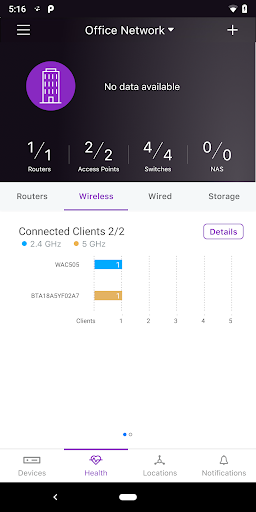
Use Insight to discover, register, install and configure your Insight managed devices - switches, wireless access points and router gateways, and storage devices, as well as to setup your wired and wireless networks.
Additionally, with the Insight app you can check the status of your network, re-configure and fine-tune settings and troubleshoot. You also can receive alerts and notifications on critical and important events related
to your devices and networks. Most of the features available on the Insight Cloud Portal are available on the mobile app, making the NETGEAR Insight app an excellent tool to help stay on top of all your Insight-devices
based networks. Additionally, with the Insight app, you have direct access to NETGEAR Help and Support. You truly have full visibility and control of all your networks in the palm of your hand – anytime, anywhere.
Unlike most network management solutions, NETGEAR Insight is a complete unified network management solution built specifically for the SMB market. With the easy, user friendly networking experience, NETGEAR Insight app enables
multi-device configuration, network management, monitoring, and service deployment of select NETGEAR wireless, switching, routing and storage devices.
Feature Highlights:
* Remote access into your networks and devices from anywhere right through your phone
* Unified and simplified multi-device configuration from your phone
* Unified cloud management of both wired and wireless networks
* Manage multiple network locations from one screen
* Troubleshoot issues and get NETGEAR Support right from your Insight app
* Intuitive mobile user experience
* No additional need for cloud controller, appliance, network manager, or PC/server
NETGEAR Insight Managed Devices -- check for list of devices managed by Insight [https://www.netgear.com/insight/devices.aspx]:
* Insight Managed Wireless Access Points – Meeting the need for higher bandwidth, multi-user support
* Insight Managed Switches — Networking made simple
* ReadyNAS Storage — Powerful, scalable
Now NETGEAR Insight supports landscape mode for tablets. Additionally, the NETGEAR Insight Cloud Portal is also available at https://insight.netgear.com.
كيفية تنزيل APK NETGEAR Insight
- أدخل اسم الحزمة
com.netgear.insightفي الصفحة الرئيسية لـ APK Downloader. - حدد بنية جهازك (يوصى بـ ARM64 للأجهزة الحديثة).
- انقر فوق تنزيل للحصول على ملف APK المدمج.
- قم بنقل وتثبيت APK على جهاز Android الخاص بك.
- ابقَ على اطلاع: قم بزيارة APK Downloader بانتظام للبحث عن أحدث الإصدارات الآمنة من تطبيقاتك المفضلة وتنزيلها.
الأمان والتحقق من التوقيع
تحميل ملف APK هذا آمن بنسبة 100٪. نحن نتحقق من أن التوقيع التشفيري للملف يطابق بيانات المطور الرسمية. لا توجد تعديلات أو إعلانات مدمجة.