
مصادر التحميل
Device Configuration
دليل تثبيت حزم APK المجزأة (Split APKs)
يتم توزيع بعض التطبيقات كحزم APK مجزأة (ملفات .apk متعددة معاً) لتحسين الموارد. ولا يمكن لمثبت أندرويد القياسي فتحها.
التطبيقات ذات صلة


حول هذا التطبيق
Mevo allows anyone to live stream with ease. Our dedicated Android App allows content creators to control their Mevo cameras and stream in stunning 1080p HD to multiple streaming platforms like YouTube, Twitch and many more.
Control your Mevo
Using the Mevo Camera App, you can control every feature of your Mevo camera.
Instantly Stream to Your Favorite Platforms
With a few taps, you can stream instantly to popular streaming platforms like YouTube, Twitch and many more. *Subscribe to Mevo Pro to multistream.
Gesture Controls
Produce dynamic and compelling content by tapping to cut, pinching to zoom, and swiping to pan.
Facial Recognition and Autopilot
Enable autopilot and the built-in AI will track faces and make live edits for you.
Add Graphics
Add custom graphics including lower thirds, corner bugs, and full screen images and video to elevate the look of your stream
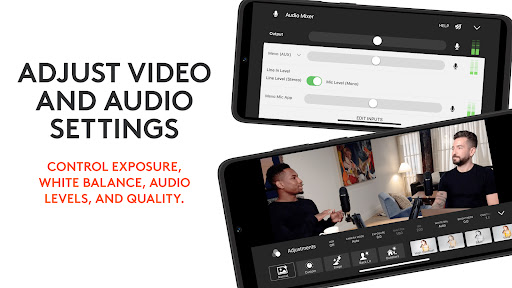
Adjust Video and Audio Settings
Control exposure, white balance, audio levels and quality.
Versatile Streaming Setups
Mevo integrates seamlessly into any setup with Webcam Mode, RTMP and NDI|HX compatibility**.
Premium Features
Get more Mevo with Mevo Pro subscription.
Compatible with, Mevo Core, Mevo Start, Mevo Plus and First Generation Mevo
ADDITIONAL SUPPORT
Visit help.mevo.com
FOOTNOTES
*Requires Mevo Pro Subscription
** Streaming via NDI is only available with the Mevo Start
كيفية تنزيل APK Logitech Mevo
- أدخل اسم الحزمة
com.livestream.mevoفي الصفحة الرئيسية لـ APK Downloader. - حدد بنية جهازك (يوصى بـ ARM64 للأجهزة الحديثة).
- انقر فوق تنزيل للحصول على ملف APK المدمج.
- قم بنقل وتثبيت APK على جهاز Android الخاص بك.
- ابقَ على اطلاع: قم بزيارة APK Downloader بانتظام للبحث عن أحدث الإصدارات الآمنة من تطبيقاتك المفضلة وتنزيلها.
الأمان والتحقق من التوقيع
تحميل ملف APK هذا آمن بنسبة 100٪. نحن نتحقق من أن التوقيع التشفيري للملف يطابق بيانات المطور الرسمية. لا توجد تعديلات أو إعلانات مدمجة.