
مصادر التحميل
Device Configuration
دليل تثبيت حزم APK المجزأة (Split APKs)
يتم توزيع بعض التطبيقات كحزم APK مجزأة (ملفات .apk متعددة معاً) لتحسين الموارد. ولا يمكن لمثبت أندرويد القياسي فتحها.
التطبيقات ذات صلة




ما الجديد
Fix some bugs.
حول هذا التطبيق
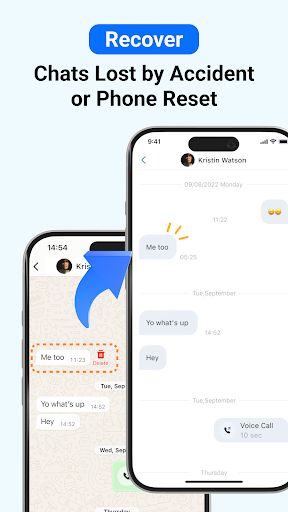
ChatsBack is a powerful recovery app that helps you easily recover deleted messages, photos, videos, voice notes, and files - even if you don't have a backup. Whether your chats were accidentally deleted, lost during a phone reset, or retracted by the sender, ChatsBack makes recovery simple and secure.
Key Features
📩 Recover deleted messages without backup
📸 Restore photos, videos, voice notes, and documents
👀 View messages and attachments that were recalled or retracted
🔒 No blue tick - read deleted messages privately
💾 Export recovered data to HTML, PDF, CSV, or Excel for safekeeping
⚡ High success rate on the latest Android versions, including Android 13+
Common Use Cases
- Accidentally deleted important chats
- Phone reset or system update caused message loss
- Need to restore family photos, videos, or voice messages
- Retrieve work files or contacts shared in groups
- Access and organize old conversations for personal records
Why Choose ChatsBack?
★ Practical & Reliable - Recover deleted messages without backup in just a few taps.
★ Simple & Clear- User-friendly design with step-by-step guides for easy recovery.
★ Safe & Secure - Your data privacy is highly protected and will never be shared.
★ Convenient & Flexible - Directly save recovered messages and media to your phone, or export them to your computer for backup.
How It Works?
1. Download and install the ChatsBack app on your Android device.
2. Grant the necessary permissions to enable recovery.
3. Scan, preview, and select the data you want to restore.
4. Recover deleted messages and files instantly to your phone or computer.
No more frustration when important chats or media disappear. With ChatsBack, you can always keep your history safe, organized, and accessible.
🌟 Start using ChatsBack today and never lose your data again!
Privacy Policy: https://www.imyfone.com/company/privacy-policy/
Terms of Service: https://www.imyfone.com/company/terms-conditions-2018-05/
License Agreement: https://www.imyfone.com/company/license-agreement/
كيفية تنزيل APK ChatsBack See Deleted Messages
- أدخل اسم الحزمة
com.imyfone.chatbackفي الصفحة الرئيسية لـ APK Downloader. - حدد بنية جهازك (يوصى بـ ARM64 للأجهزة الحديثة).
- انقر فوق تنزيل للحصول على ملف APK المدمج.
- قم بنقل وتثبيت APK على جهاز Android الخاص بك.
- ابقَ على اطلاع: قم بزيارة APK Downloader بانتظام للبحث عن أحدث الإصدارات الآمنة من تطبيقاتك المفضلة وتنزيلها.
الأمان والتحقق من التوقيع
تحميل ملف APK هذا آمن بنسبة 100٪. نحن نتحقق من أن التوقيع التشفيري للملف يطابق بيانات المطور الرسمية. لا توجد تعديلات أو إعلانات مدمجة.