
مصادر التحميل
دليل تثبيت حزم APK المجزأة (Split APKs)
يتم توزيع بعض التطبيقات كحزم APK مجزأة (ملفات .apk متعددة معاً) لتحسين الموارد. ولا يمكن لمثبت أندرويد القياسي فتحها.
التطبيقات ذات صلة


ما الجديد
An update on updates — we’ve implemented them. We’ve tweaked a few things and shooed away some bugs to keep Avast Password Manager running smooth. Make sure you upgrade to the latest version.
حول هذا التطبيق
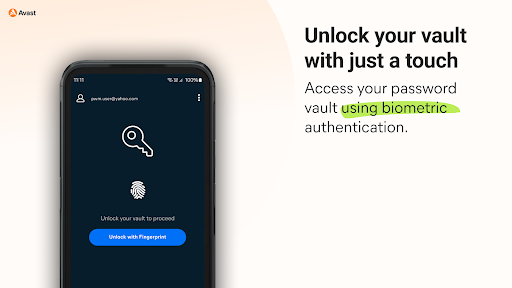
Easily secure all your passwords, credit cards, addresses, and sensitive information across the web and on any device with Avast Password Manager mobile app*.
SIMPLIFY YOUR LIFE
You no longer have to remember all your passwords or account emails, Avast Password Manager does it for you with our built-in auto-fill feature that pre-fills your login information with a tap.
SECURE YOUR DIGITAL LIFE
Secure your digital life from online threats with our end-to-end, zero-knowledge encryption password vault and built-in password generator that allows you to create strong and unique passwords on the go. With zero-knowledge encryption and two-factor authentication, only you can unlock and access your data, not even Avast has access to your vault. These security measures help keep your data safer from cybercriminals and hacking attempts.
WEAK PASSWORD DETECTION
Our security checks for weak passwords and easily detects and suggests unique, strong passwords, so you don’t have to spend time creating new passwords.
* Requires your device to have an internet connection. You can easily import your passwords from other browsers and other password managers to Avast Password Manager. All you need is to be on a Mac or Windows and have the extension on your browser. For more details go: https://support.avast.com/en-us/article/2730/
With the free version, we reserve the right to limit the number of entries (like passwords) at any time. This limitation won’t affect any existing entries in your vault.
PRIVACY POLICY
AVAST respects the privacy of our users and carefully safeguards personal data.
By using this add-on, you have read and agree with our General Privacy Policy (https://www.avast.com/privacy-policy) and Products Policy (https://www.avast.com/products-policy).
كيفية تنزيل APK Avast Password Manager
- أدخل اسم الحزمة
com.avast.passwordmanagerفي الصفحة الرئيسية لـ APK Downloader. - حدد بنية جهازك (يوصى بـ ARM64 للأجهزة الحديثة).
- انقر فوق تنزيل للحصول على ملف APK المدمج.
- قم بنقل وتثبيت APK على جهاز Android الخاص بك.
- ابقَ على اطلاع: قم بزيارة APK Downloader بانتظام للبحث عن أحدث الإصدارات الآمنة من تطبيقاتك المفضلة وتنزيلها.
الأمان والتحقق من التوقيع
تحميل ملف APK هذا آمن بنسبة 100٪. نحن نتحقق من أن التوقيع التشفيري للملف يطابق بيانات المطور الرسمية. لا توجد تعديلات أو إعلانات مدمجة.