
مصادر التحميل
Device Configuration
دليل تثبيت حزم APK المجزأة (Split APKs)
يتم توزيع بعض التطبيقات كحزم APK مجزأة (ملفات .apk متعددة معاً) لتحسين الموارد. ولا يمكن لمثبت أندرويد القياسي فتحها.
التطبيقات ذات صلة


ما الجديد
Fix bugs and increase app stability.
حول هذا التطبيق
The Clock - Manage your time easily your way:
1. Experience setting alarms by sliding the dial easily and conveniently. Easy to set up – easy to change.
2. Set a regular alarm at any time of the day and an alarm that repeats on one or more days of the week.
3. In particular, the privacy alarm (no sound alarm) is suitable for families with young children, alarms in the working environment, and meetings…
4. Label the alarm by giving it a name. Let's personalize the alarm according to the alarm function. Example: Wake up Diana, Take medicines or Change baby diapers….Very interesting.
5. World clock. See local time in different time zones around the world.
6. The clock counts forward time. Support multiple consecutive counting times by easy operation. Show unlimited counting history.
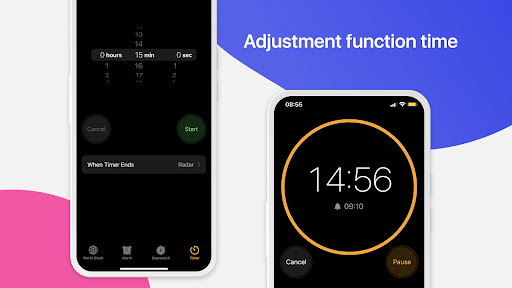
7. Count down from a specific time or measure the duration of an event.
Aim for simplicity and convenience. Our clock will meet your daily time management needs. Quick start, easy operation to save time is also an advantage.
Please experience and if you love this application, please share and rate it to support the developer. Thank you!
كيفية تنزيل APK Clock Phone 16, Alarm & Timer
- أدخل اسم الحزمة
com.apps.clock.theclockفي الصفحة الرئيسية لـ APK Downloader. - حدد بنية جهازك (يوصى بـ ARM64 للأجهزة الحديثة).
- انقر فوق تنزيل للحصول على ملف APK المدمج.
- قم بنقل وتثبيت APK على جهاز Android الخاص بك.
- ابقَ على اطلاع: قم بزيارة APK Downloader بانتظام للبحث عن أحدث الإصدارات الآمنة من تطبيقاتك المفضلة وتنزيلها.
الأمان والتحقق من التوقيع
تحميل ملف APK هذا آمن بنسبة 100٪. نحن نتحقق من أن التوقيع التشفيري للملف يطابق بيانات المطور الرسمية. لا توجد تعديلات أو إعلانات مدمجة.