
مصادر التحميل
Device Configuration
دليل تثبيت حزم APK المجزأة (Split APKs)
يتم توزيع بعض التطبيقات كحزم APK مجزأة (ملفات .apk متعددة معاً) لتحسين الموارد. ولا يمكن لمثبت أندرويد القياسي فتحها.
التطبيقات ذات صلة



حول هذا التطبيق
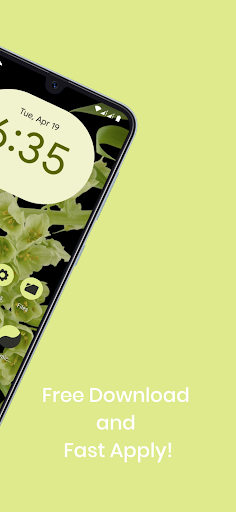
Material You Dynamic Icons - These are icons for custom launchers that change color from wallpaper / accent of system, also change in the Light / Dark mode of the device.
Available in application:
• Frequent updates.
• Adaptive icons.
• More than 3000 Exclusive thematic Wallpapers.
Recommendations
• A supported launcher is required to use this icon pack!
• FAQ section in the app, which answers a lot of questions you might have.
• Please read it before emailing your question.
Other Features
• Icon preview
• Dynamic calendar
• Material panel.
• Custom folder icons
• Category based icons
• Custom app drawer icons.
support
• If you have any problems while using the icon pack. Just email me at akbon.business@gmail.com
Supported launchers in icon pack
• Apus • Action Launcher • ADW Launcher • Apex • Atom • Aviate • LineageOS Theme Engine • GO • Holo Launcher • Holo HD • LG Home • Lucid • M Launcher • Mini • Next Launcher • Nougat Launcher • Nova Launcher (recommended) • Smart Launcher (recommended) • Solo Launcher • V Launcher • ZenUI • Zero • ABC Launcher • Evie • L Launcher • Lawnchair (recommended) • XOS Launcher • HiOS Launcher • Poco Launcher
Supported launchers are included in the icon pack, but do not require manual installation
• Arrow Launcher • ASAP Launcher • Cobo Launcher • Line Launcher • Mesh Launcher • Peek Launcher • Z Launcher Quixey Launcher • iTop Launcher • KK Launcher • MN Launcher • S Launcher • Open Launcher • Flick Launcher
This icon pack has been tested and works with these launchers. However, it may also work for others. In case the launcher is not in the application section of the icon pack. You can apply the icon pack from the launcher settings.
How to use this icon pack?:
Step 1: Install the supported launcher
Step 2: Open the Monet icon pack, go to the apply section of the Monet icon pack and select your launcher
If your launcher is not in the list, make sure to apply it from the settings of the launcher itself
How do I change the colors of the icons?:
After changing wallpaper / accent system, you need to reapply the icon pack (or apply another icon pack, and then immediately this one).
How do I change to light / dark mode?:
After changing device theme to light / dark, you need to reapply icon pack (or apply another icon pack, and then this one immediately).
Recommended use Launchers:
- Hyperion.
- Lawnchair.
- Nova Launcher.
- Niagara Launcher.
- Ruthless Launcher.
- Smart Launcher
- In Pixel Launcher (stock launcher in Pixel devices) work with the app Shortcut Maker.
- In Stock One UI Launcher uses Theme Park to change color.
Additional notes
• The icon pack needs a launcher to work.
• Icon missing? Feel free to send me an icon request and I'll try to update this pack with your requests.
If something does not work for you, you can contact "technical support" in telegram:
https://t.me/AKBON_Apps
credits
• AKBON (Ibrahim Fathelbab)
• Google Pixel Team
كيفية تنزيل APK Material You Dynamic Icon pack
- أدخل اسم الحزمة
com.akbon.mydفي الصفحة الرئيسية لـ APK Downloader. - حدد بنية جهازك (يوصى بـ ARM64 للأجهزة الحديثة).
- انقر فوق تنزيل للحصول على ملف APK المدمج.
- قم بنقل وتثبيت APK على جهاز Android الخاص بك.
- ابقَ على اطلاع: قم بزيارة APK Downloader بانتظام للبحث عن أحدث الإصدارات الآمنة من تطبيقاتك المفضلة وتنزيلها.
الأمان والتحقق من التوقيع
تحميل ملف APK هذا آمن بنسبة 100٪. نحن نتحقق من أن التوقيع التشفيري للملف يطابق بيانات المطور الرسمية. لا توجد تعديلات أو إعلانات مدمجة.