
مصادر التحميل
Device Configuration
دليل تثبيت حزم APK المجزأة (Split APKs)
يتم توزيع بعض التطبيقات كحزم APK مجزأة (ملفات .apk متعددة معاً) لتحسين الموارد. ولا يمكن لمثبت أندرويد القياسي فتحها.
التطبيقات ذات صلة




حول هذا التطبيق
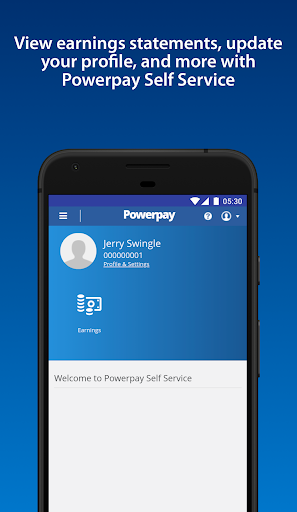
Need access to your work life from anywhere at any time? Powerpay Employee Self Service puts you in the driver’s seat with an engaging, intuitive mobile experience to access your most current pay details and personal information with the touch of your hand.
As an employee, being able to access your personal and pay information efficiently is critical to ensuring you get paid accurately and on-time. From checking your earnings, to downloading year-end tax forms and viewing your personal information. See how Powerpay’s Self Service mobile access can improve work life by providing secure, on-the-go access to your information so you can access information and save time, all at your convenience.
Powerpay makes pay day easier by helping small business stay in compliance with Canadian federal and provincial regulations while helping to ensure employees are paid accurately, on time, and from anywhere. Powerpay is trusted by over 47,000 Canadian small business owners. Please note: Powerpay Employee Self Service mobile access is only available to Powerpay customers. If you are an employee of a Powerpay customer, please check with your employer before downloading the app to see if they have activated the mobile option.
كيفية تنزيل APK Powerpay Self Service
- أدخل اسم الحزمة
ca.powerpay.selfserviceفي الصفحة الرئيسية لـ APK Downloader. - حدد بنية جهازك (يوصى بـ ARM64 للأجهزة الحديثة).
- انقر فوق تنزيل للحصول على ملف APK المدمج.
- قم بنقل وتثبيت APK على جهاز Android الخاص بك.
- ابقَ على اطلاع: قم بزيارة APK Downloader بانتظام للبحث عن أحدث الإصدارات الآمنة من تطبيقاتك المفضلة وتنزيلها.
الأمان والتحقق من التوقيع
تحميل ملف APK هذا آمن بنسبة 100٪. نحن نتحقق من أن التوقيع التشفيري للملف يطابق بيانات المطور الرسمية. لا توجد تعديلات أو إعلانات مدمجة.