
Download Sources
Device Configuration
Split APKs Installation Guide
Some apps are distributed as Split APKs (multiple .apk files packaged together) to optimize resources. Standard Android installers cannot open them.
Related Applications




About this app
Tiny Tap app is for parents who want to turn their kid’s screen time into an independent learning experience. Join the millions of parents worldwide who use Tiny Tap as their favorite everyday kids’ learning tool.
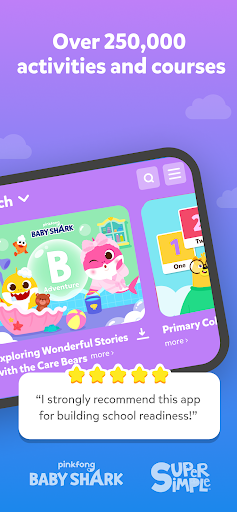
*** 250,000 educational games for kids aged 2-9 ***
Worried about your kid's screen time?
Subscribe now to get unlimited access to:
TONS OF KIDS GAMES MADE BY TEACHERS
● 250,000+ interactive learning games
● Personalized game recommendations
● Practice key skills and subjects according to their age and needs
● An abundance of subjects
AD-FREE, SAFE SPACE FOR KIDS
● Curated content made by teachers, therapists, and educators worldwide
● Including games from Oxford University Press
KID-FRIENDLY NAVIGATION
● Encouraging independent play
● Giving you more time to get things done
PARENT’S DASHBOARD
● Track your kid’s progress and don’t miss out
● See how they do in reference to other kids in their age group
Start our free trial to let your kid reach new milestones while having fun! Cancel any time before the trial ends!**
Follow us on Instagram https://www.instagram.com/tinytapit/
SUBSCRIPTION DETAILS:
● Subscribe to TinyTap yearly plan and get a free trial!
● You can cancel anytime during the trial period – there is no cancellation fee.
● Payment will be charged to your Google Play Account at confirmation of purchase
● You can use the subscription on any device
● The subscription is automatically renewed unless auto-renew is turned off at least 24-hours before the end of the current period
● The account will be charged for renewal within 24-hours prior to the end of the current period, and identify the cost of the renewal
● Subscriptions may be managed by the user and automatic renewal may be turned off by going to the user's Google PlayStore Settings after purchase
● Cancellation will not go into effect until the end of the billing cycle
Privacy Policy: https://www.tinytap.com/site/privacy/
Terms & Conditions: https://www.tinytap.com/site/terms_and_conditions/
How to Download TinyTap: Kids' Learning Games APK
- Enter the package name
tinytap.kids.learning.gameson the APK Downloader homepage. - Select your device architecture (ARM64 recommended for modern devices).
- Click Download to get the merged APK file.
- Transfer and install the APK on your Android device.
- Keep Updated: Visit APK Downloader regularly to search for and download the latest secure versions of your favorite apps.
Security & Signature Verification
This APK download is 100% safe. We verify that the cryptographic signature of the file matches the official developer credentials. No modifications or adware are injected.