
Download Sources
Device Configuration
Split APKs Installation Guide
Some apps are distributed as Split APKs (multiple .apk files packaged together) to optimize resources. Standard Android installers cannot open them.
Related Applications


What's New
https://kodi.tv/article/kodi-21-2-omega-release/
Full list of changes can be viewed at https://github.com/xbmc/xbmc/releases/tag/21.2-Omega
About this app
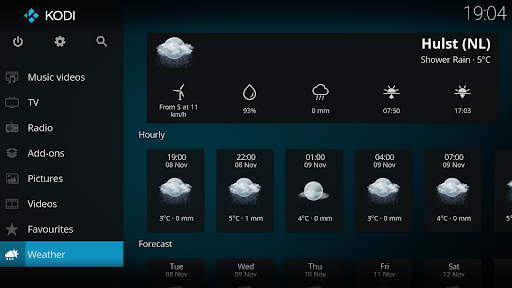
Kodi® media center is an award-winning free and open source cross-platform software media player and entertainment hub for digital media for HTPCs (Home theater PCs). It uses a 10-foot user interface designed to be a media player for the living-room, using a remote control as the primary input device. Its graphical user interface (GUI) allows the user to easily browse and view videos, photos, podcasts, and music from a harddrive, optical disc, local network, and the internet using only a few buttons.
IMPORTANT:
The official Kodi version does not contain any content what so ever. This means that you should provide your own content from a local or remote storage location, DVD, Blu-Ray or any other media carrier that you own. Additionally Kodi allows you to install third-party plugins that may provide access to content that is freely available on the official content provider website. Any other means of watching illegal content which would otherwise be paid for is not endorsed or approved by Team Kodi.
Estuary is the new standard skin and is designed to be fast and user friendly.
With the skin Estouchy, Kodi has now been enhanced to better work with larger 5" or up phones and tablets. Kodi is not designed or recommended for use with smaller phones.
Disclaimer:
- Kodi does not supply or include any media or content.
- Users must provide their own content or install one of the third party plug-ins
- Kodi has no affiliation with any third-part plug-in or add-on provider what so ever.
- We do not endorse the streaming of copyright protected material without permission of the copyright holder.
- In order to upgrade from a previous version you must have installed an official released version by Team Kodi. Any other version may cause failure to upgrade.
License and development:
Kodi® is a trademark of the XBMC Foundation. For further details you can visit http://kodi.wiki/view/Official:Trademark_Policy
Kodi® is fully Open-Source and released under the GPLv2.0+ license. It includes many third-party libraries which use compatible licenses. Due to the inclusion of some GPLv3.0 libraries the entire application becomes GPLv3.0 as binary.
Should you wish to help on future development you can do so by visiting our forum for further questions.
How to Download Kodi APK
- Enter the package name
org.xbmc.kodion the APK Downloader homepage. - Select your device architecture (ARM64 recommended for modern devices).
- Click Download to get the merged APK file.
- Transfer and install the APK on your Android device.
- Keep Updated: Visit APK Downloader regularly to search for and download the latest secure versions of your favorite apps.
Security & Signature Verification
This APK download is 100% safe. We verify that the cryptographic signature of the file matches the official developer credentials. No modifications or adware are injected.