
Download Sources
Device Configuration
Split APKs Installation Guide
Some apps are distributed as Split APKs (multiple .apk files packaged together) to optimize resources. Standard Android installers cannot open them.
Related Applications



What's New
- Stability improvements and bug fixes
About this app
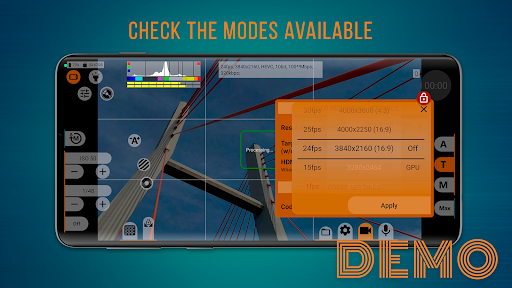
mcpro24fps demo is a free version of the professional camera app mcpro24fps. This application is designed to demonstrate the professional video shooting features available on your specific smartphone, aiding your decision-making process before purchasing.
Here’s what you can do:
Check the availability of the shooting modes and options that interest you.
Familiarize yourself with the video camera app's interface and evaluate its convenience.
Explore all the advanced tools of a professional camera with manual settings.
No gimmicks! No questions asked! No doubts!
You have the same camcorder as mc pro 24 fps in your hands with all its functional features, except for recording capabilities. Everything available in mcpro24fps demo on your phone will be accessible in the full version of the app.
Install demo version and discover everything that intrigues you!
Buy full version: https://bit.ly/mcpro24fps
Official website: https://www.mcpro24fps.com/
Our YouTube channel with helpful video tutorials: https://youtube.com/mcpro24fps
App chat on Telegram: https://t.me/mcpro24fps_en/
How to Download mcpro24fps demo - video camera APK
- Enter the package name
lv.mcprotector.mcpro24fps.demoon the APK Downloader homepage. - Select your device architecture (ARM64 recommended for modern devices).
- Click Download to get the merged APK file.
- Transfer and install the APK on your Android device.
- Keep Updated: Visit APK Downloader regularly to search for and download the latest secure versions of your favorite apps.
Security & Signature Verification
This APK download is 100% safe. We verify that the cryptographic signature of the file matches the official developer credentials. No modifications or adware are injected.