
Download Sources
Device Configuration
Split APKs Installation Guide
Some apps are distributed as Split APKs (multiple .apk files packaged together) to optimize resources. Standard Android installers cannot open them.
Related Applications


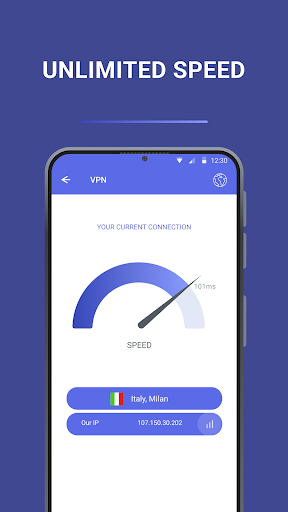


About this app
An unlimited, fast, and secure VPN for your needs. Free and easy to use!
Our VPN is designed to allow you to comfortably and anonymously browse the internet, accessing the websites and services you need with a single click. Install the app, click "Connect," and you're ready to go—no hassle!
What makes our VPN a great choice?
1. Access to a global server network.
Fast servers in different countries are available. You can choose the one that suits you best or let us automatically select the fastest connection.
2. Reliable protection of your data.
We respect your privacy: no logs or browsing history are saved. Your real IP address remains hidden, and your online activity remains anonymous.
3. Simple and user-friendly interface.
The VPN launches in just a few seconds. No complicated settings—everything is intuitive, even for beginners.
Fewer ads—more convenience.
We care about your comfort and have minimized the number of advertising materials.
Our service also helps speed up apps and games and protects your network from potential threats. Try it today and see how convenient it is! Privacy Policy: https://docs.google.com/document/d/1iKq8rnj7IIDWW4m_DBjx5saAzsdmBtGvtVnwbc54IoM
Terms of Service: https://docs.google.com/document/d/19frdep3_HPB8pXL9pCydH_8Zny8FstmlKCvG3ULkaL
How to Download VPN PRO - VPN that works APK
- Enter the package name
free.vpn.proxy.secure.proon the APK Downloader homepage. - Select your device architecture (ARM64 recommended for modern devices).
- Click Download to get the merged APK file.
- Transfer and install the APK on your Android device.
- Keep Updated: Visit APK Downloader regularly to search for and download the latest secure versions of your favorite apps.
Security & Signature Verification
This APK download is 100% safe. We verify that the cryptographic signature of the file matches the official developer credentials. No modifications or adware are injected.