Yandex Browser with Alice AI

Yandex Browser with Alice AI

Direct Cursus Computer Systems Trading LLC
★★★★☆ 4.4 Personalization v26.3.2.108 100,000,000+
Verified Safe & Direct
Download APK Google Play

Download Sources

Device Configuration

Split APKs Installation Guide

Some apps are distributed as Split APKs (multiple .apk files packaged together) to optimize resources. Standard Android installers cannot open them.

1. Download Split APKs Installer (SAI) from Google Play Store.
2. Download the app archive (.apks) using the download sources listed above.
3. Open SAI, click "Install APKs", choose the downloaded archive, and click Install.

Related Applications

Version
26.3.2.108
Downloads
100,000,000+
Updated
Jun 26, 2026
Developer
Direct Cursus Computer Systems Trading LLC
Category
Personalization
Content Rating
Everyone
Package
com.yandex.browser
Platform
Android
ScreenshotScreenshotScreenshotScreenshotScreenshotScreenshot

What's New

Yandex Browser's AI keeps the original voice and tone when translating videos from English to Russian. So you don't just get the words — you feel the vibe.

About this app

Yandex Browser — stylish and secure, with voice search and data compression.

Get rid of annoying ads on websites by integrating third-party blocking apps with ad blocking.

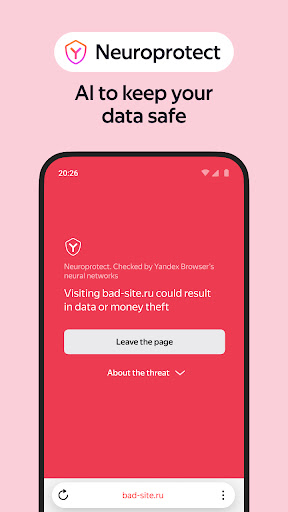
Protect your personal data when using public Wi-Fi networks and stay away from harmful or fraudulent pages with the browser’s active security system Protect.

Hide unrelated interface elements — ads, site menus, buttons, or widgets — and leave only the relevant text and accompanying images on the screen with Reader Mode.

Surf the web in private using Incognito Mode — Yandex Browser will not keep track of your passwords, search queries, or browsing history in this mode.

Customize your Yandex Browser with a wide array of backgrounds in the wallpaper library to suit any style or mood.

Access your favorite websites and bookmarks on any of your devices – just allow syncing of your data in your Yandex account.

If you have any questions or suggestions, you can contact us straight from the app, or via https://browser.yandex.com/feedback.

How to Download Yandex Browser with Alice AI APK

  1. Enter the package name com.yandex.browser on the APK Downloader homepage.
  2. Select your device architecture (ARM64 recommended for modern devices).
  3. Click Download to get the merged APK file.
  4. Transfer and install the APK on your Android device.
  5. Keep Updated: Visit APK Downloader regularly to search for and download the latest secure versions of your favorite apps.

Security & Signature Verification

This APK download is 100% safe. We verify that the cryptographic signature of the file matches the official developer credentials. No modifications or adware are injected.

Identity Special Access
  • find accounts on the device
  • add or remove accounts
Calendar Basic Access
  • read calendar events plus confidential information
  • add or modify calendar events and send email to guests without owners' knowledge
Contacts Special Access
  • find accounts on the device
  • read your contacts
  • modify your contacts
Location Special Access
  • approximate location (network-based)
  • precise location (GPS and network-based)
Phone Special Access
  • directly call phone numbers
  • read phone status and identity
Photos/Media/Files Basic Access
  • read the contents of your USB storage
  • modify or delete the contents of your USB storage
Storage Basic Access
  • read the contents of your USB storage
  • modify or delete the contents of your USB storage
Camera Special Access
  • take pictures and videos
Microphone Special Access
  • record audio
Wi-Fi connection information Basic Access
  • view Wi-Fi connections
Device ID & call information Special Access
  • read phone status and identity
Other Basic Access
  • view network connections
  • create accounts and set passwords
  • pair with Bluetooth devices
  • connect and disconnect from Wi-Fi
  • control flashlight
  • full network access
  • change your audio settings
  • control Near Field Communication
  • read sync settings
  • run at startup
  • set wallpaper
  • draw over other apps
  • use accounts on the device
  • control vibration
  • prevent device from sleeping
  • modify system settings
  • toggle sync on and off
  • set an alarm
  • install shortcuts