
Download Sources
Device Configuration
Split APKs Installation Guide
Some apps are distributed as Split APKs (multiple .apk files packaged together) to optimize resources. Standard Android installers cannot open them.
Related Applications


About this app
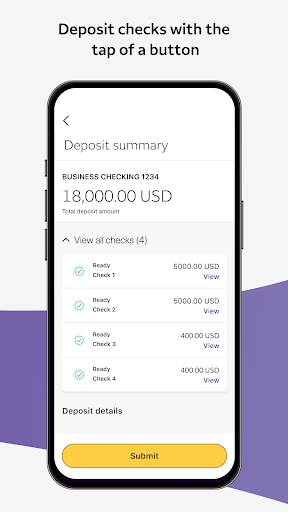
The new Wells Fargo Vantage app makes it easy to access your accounts, deposit checks, transfer money, and complete critical tasks, all while you’re on the go.¹ Run your business without delay by accessing your RSA mobile token right from the app’s sign on screen. The app’s redesigned home screen lets you view your account information and easily find details on recent transactions. No need to put your workday on pause; deposit multiple checks at once, review pending deposits and approve deposits all from your mobile device.
Sign on with your Vantage credentials, or with biometrics for a password-less experience.² It’s quick and easy to get started, with no additional fees.
Please note, customers with personal and small business accounts with Wells Fargo should download the Wells Fargo Mobile app for easy access to those accounts.
Screen images simulated.
1. Availability may be affected by your mobile carrier’s coverage area. Your mobile carrier’s message and data rates may apply.
2. Only certain devices are eligible to enable biometrics.
Android, Chrome, Google Pay, Google Pixel, Google Play, Wear OS by Google, and the Google Logo are trademarks of Google LLC.
How to Download Wells Fargo Vantage® APK
- Enter the package name
com.wellsFargo.ceomobileon the APK Downloader homepage. - Select your device architecture (ARM64 recommended for modern devices).
- Click Download to get the merged APK file.
- Transfer and install the APK on your Android device.
- Keep Updated: Visit APK Downloader regularly to search for and download the latest secure versions of your favorite apps.
Security & Signature Verification
This APK download is 100% safe. We verify that the cryptographic signature of the file matches the official developer credentials. No modifications or adware are injected.