
Download Sources
Device Configuration
Split APKs Installation Guide
Some apps are distributed as Split APKs (multiple .apk files packaged together) to optimize resources. Standard Android installers cannot open them.
Related Applications



What's New
We are constantly working on bug fixes and improvements to keep giving you the best experience and get the most out of your Thermomix, with Cookidoo®.
About this app
The Official Thermomix® Cookidoo® App gives you access to the growing universe of mouth-watering Thermomix® Guided Cooking recipes. You pick and choose which recipes go with you wherever you are. Create an account and get cooking!
SMART @ HEART
Connect to Cookidoo® and access over 100,000 worldwide recipes directly from your app and through the screen of the Thermomix® TM6. Also be sure to check out the new exclusive step-by-step photos and videos, making cooking easier than ever.
YOUR THERMOMIX® COOKIDOO® ACCOUNT
To use the app, you need to have your Thermomix® Cookidoo® username and password. Your local Thermomix® Cookidoo® website will tell you how to create your account for the app.
GET INSPIRED
Wondering what you are cooking today? Discover hundreds of ideas for every taste, season and occasion! With Cookidoo® Membership you get instant access to every recipe on Cookidoo®. Everything’s on the menu! Our recipe suggestions and articles will point you in the right direction.
CREATED RECIPES
Discover our newest Cookidoo® feature! You can create, import and modify your favourite recipes, save them all in one place and cook them with your Thermomix®. Your Thermomix®, your way.
PLAN AND COOK
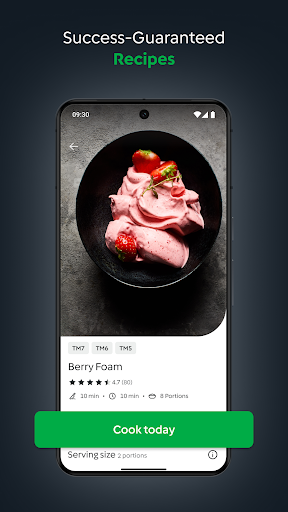
Planning is easy and fun, add recipes to your planner and find the recipes ready for cooking when you need them. The Cook Today button on each recipe lets you schedule a recipe with a single click.
MAKE IT YOUR OWN
Create your own recipe lists to manage your recipes the way you want. Bookmark any recipe you find appealing so you can find it later. You can also view recipes you scheduled in the past.
COOK-KEY® BRINGS GUIDED COOKING TO YOUR FINGER TIPS
Cook-Key® connects your Thermomix® TM5 to Cookidoo®. Enjoy sending your recipe favourites, weekly planning and recipe collections from the Android App to your Thermomix®.
How to Download Thermomix Cookidoo App APK
- Enter the package name
com.vorwerk.cookidoo.uson the APK Downloader homepage. - Select your device architecture (ARM64 recommended for modern devices).
- Click Download to get the merged APK file.
- Transfer and install the APK on your Android device.
- Keep Updated: Visit APK Downloader regularly to search for and download the latest secure versions of your favorite apps.
Security & Signature Verification
This APK download is 100% safe. We verify that the cryptographic signature of the file matches the official developer credentials. No modifications or adware are injected.