
Download Sources
Device Configuration
Split APKs Installation Guide
Some apps are distributed as Split APKs (multiple .apk files packaged together) to optimize resources. Standard Android installers cannot open them.
Related Applications



What's New
Bug fixes and improvements for incoming calls and notifications, including better reliability and handling.
About this app
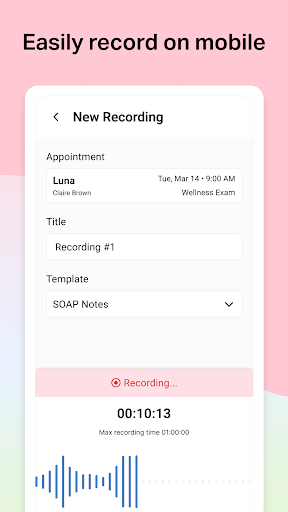
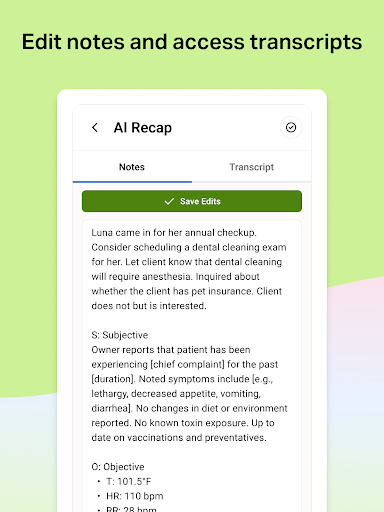
Otto AI Scribe is your veterinary AI-powered scribe. It captures key details from your appointments in real time and into your chosen SOAP format - ensuring that nothing is forgotten or missed. Let AI Scribe handle your notes so your team can stay fully present with clients and patients. Build trust, have real conversations, and focus on care that feels personal - without compromising your records.
How to Download Otto AI Scribe APK
- Enter the package name
com.televet.recapmobileon the APK Downloader homepage. - Select your device architecture (ARM64 recommended for modern devices).
- Click Download to get the merged APK file.
- Transfer and install the APK on your Android device.
- Keep Updated: Visit APK Downloader regularly to search for and download the latest secure versions of your favorite apps.
Security & Signature Verification
This APK download is 100% safe. We verify that the cryptographic signature of the file matches the official developer credentials. No modifications or adware are injected.