
Download Sources
Device Configuration
Split APKs Installation Guide
Some apps are distributed as Split APKs (multiple .apk files packaged together) to optimize resources. Standard Android installers cannot open them.
Related Applications


What's New
We’ve updated our app with a fresh look and feel, optimized our navigation, and introduced a new enhanced day of travel experience.
About this app
The Southwest® app makes it easy to book flights, hotels, cars, cruises, and vacation packages, as well as check in, change, or cancel flights. Travel with ease and add extras like Priority Boarding through the “My Trips” tab. Rapid Rewards® Members can earn and redeem Rapid Rewards points1 for qualifying Southwest purchases, flights, hotel bookings, or getaways. Enjoy a seamless travel experience from planning last-minute vacation trips to booking flights.
Southwest app features:
- Book low fare airline tickets
- Travel with ease as you search, book, and manage your flights
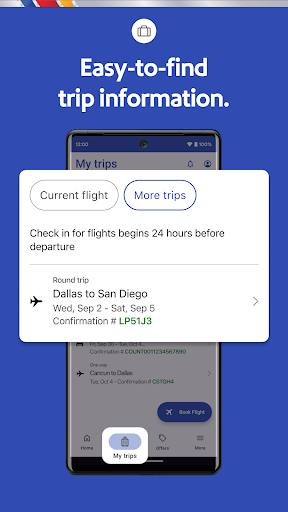
- View your flight status, gate information, boarding position, and more in the “My Trips” tab
Book a hotel or getaway through the Southwest app:
- Add on to your travel experience when you book a hotel through Southwest
- Check into your hotels via the Southwest app
- Manage your reservation and find hotel deals for your next trip
Check flight status on the go with this app:
- Get travel alerts, access gate information, boarding position, and check flight status
- The app serves as a mobile boarding pass for all Passengers on your trip 24 hours in advance
- Access flight number, confirmation number, boarding time, tier status, and TSA PreCheck® details found in one place
- Save your mobile boarding passes to Google Wallet for convenience while traveling
Getaways by SouthwestTM:
- Book your entire vacation package—flights, hotels, rental cars—all in one place
- Cancel or make changes to your package up to 10 minutes prior to your original scheduled departure2
- Ready to book flights to Las Vegas? Use the in-app booking widget to search vacation packages in 30+ popular destinations like Las Vegas, Hawaii, Cancun, and more
Travel with inflight entertainment:
- Use the app to take you to our inflight entertainment portal, where you can watch free live TV, access free on-demand TV episodes, and view free movies3
Earn Rapid Rewards points when you travel:
- Sign up for Rapid Rewards and earn points on your flights. Did you forget to add your Rapid Rewards number during booking? No worries, add it after booking your flight and earn points1
Purchase airline tickets, schedule pickups and drop-offs, enjoy fast and easy hotel booking, and embrace last-minute flights for your next spontaneous vacation—all with Southwest
Disclaimers:
1All Rapid Rewards® rules and regulations apply and can be found at https://www.southwest.com/rrterms
2Bookings canceled or changed 72 hours before your first flight’s scheduled departure will be refunded in the form of vacation travel credits less any optional travel charges and travel insurance. Bookings changed or canceled 72 hours–10 minutes before your first flight’s scheduled departure may be subject to supplier penalties. Bookings must be canceled or changed at least 10 minutes before your first flight’s scheduled departure time or funds will be forfeited. Any eligible credits will be less nonrefundable air travel charges and travel insurance. Subject to Getaways by SouthwestTM
Terms and Conditions: https://www.southwest.com/vacations/terms-and-conditions/
3Where available. Available only on WiFi-enabled designated aircraft. Due to licensing restrictions, on WiFi-enabled international flights, free live TV may not be available for the full duration of the flight. Texting only allows access to iMessage and WhatsApp (which must be downloaded and activated before connecting to SouthwestWiFi).
How to Download Southwest Airlines: Travel App APK
- Enter the package name
com.southwestairlines.mobileon the APK Downloader homepage. - Select your device architecture (ARM64 recommended for modern devices).
- Click Download to get the merged APK file.
- Transfer and install the APK on your Android device.
- Keep Updated: Visit APK Downloader regularly to search for and download the latest secure versions of your favorite apps.
Security & Signature Verification
This APK download is 100% safe. We verify that the cryptographic signature of the file matches the official developer credentials. No modifications or adware are injected.