
Download Sources
Device Configuration
Split APKs Installation Guide
Some apps are distributed as Split APKs (multiple .apk files packaged together) to optimize resources. Standard Android installers cannot open them.
Related Applications



What's New
Allow archiving conversations
Add an optional Recycle bin for messages
Added some stability and translation improvements
About this app
A great way to stay in touch with your relatives is by sending both SMS and MMS messages. The app properly handles group messaging, too, just like blocking numbers from Android 7+. Keep in touch with all of your contacts using the messaging app on your phone. It's never been easier to share photos, send emojis, or just say a quick hello. ⭐
Simple SMS Messanger Fantastic Features:
✅SMS and MMS Messaging: Send both SMS and MMS messages to stay in touch with your relatives and contacts.
✅Group Messaging: Properly handle group messaging, allowing you to chat with multiple contacts simultaneously.
✅Number Blocking: Block unwanted numbers, including support for Android 7+ blocking features.
✅Contact Management: Keep in touch with all your contacts, share photos, use emojis, and send quick messages effortlessly.
✅Message Customization: Mute conversations, assign special message tones for specific contacts, and personalize your messaging experience.
✅SMS Backup: Easily back up your text messages and MMS data without consuming excessive internal storage.
✅Compact App Size: The app has a small file size, ensuring quick and efficient downloading.
✅Security and Data Recovery: Use SMS backup to retrieve messages when changing devices or in case of loss or theft.
✅Blocking Feature: Prevent unwanted messages, even from non-stored contacts, and export/import blocked numbers for easy backup.
✅Conversation Export: Easily export conversations to a file for backup or migration between devices.
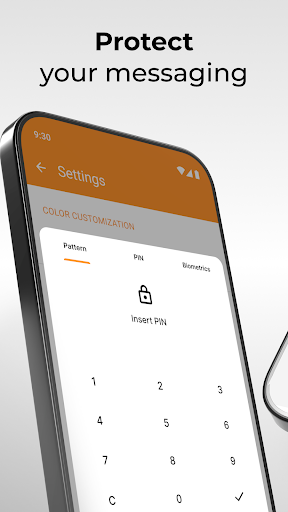
✅Lock Screen Customization: Customize the lock screen to show only the sender, message content, or nothing for enhanced privacy.
✅Efficient Message Search: Quickly and efficiently search through your messages to find the information you need.
✅Dark Theme: Use the dark theme by default for reduced eye strain and enhanced user experience.
You can do so much with your messages, like mute conversations or assign special message tones for certain contacts. With this text message and group messaging app, you can enjoy daily private messaging and group messaging in a more fun way. Discover why this is an excellent text messaging apps!
This messaging app has a really tiny app size compared to the competition, making it really fast to download. The SMS backup technique is helpful when you have to change your device, or it gets stolen. This way, you can retrieve the text message from both group messaging and private messaging easily using the SMS backup in this messaging app.
The blocking feature helps preventing unwanted messages easily, you can block all messages from not stored contacts too. Blocked numbers can be both exported and imported for easy backup. All conversations can be easily exported to a file for simple backup or migration between devices.
You can customize which part of the message is visible on the lock screen too. You can choose if you want only the sender shown, the message, or nothing for enhanced privacy. ⭐
How to Download Simple SMS Messenger APK
- Enter the package name
com.simplemobiletools.smsmessengeron the APK Downloader homepage. - Select your device architecture (ARM64 recommended for modern devices).
- Click Download to get the merged APK file.
- Transfer and install the APK on your Android device.
- Keep Updated: Visit APK Downloader regularly to search for and download the latest secure versions of your favorite apps.
Security & Signature Verification
This APK download is 100% safe. We verify that the cryptographic signature of the file matches the official developer credentials. No modifications or adware are injected.