
Download Sources
Device Configuration
Split APKs Installation Guide
Some apps are distributed as Split APKs (multiple .apk files packaged together) to optimize resources. Standard Android installers cannot open them.
Related Applications


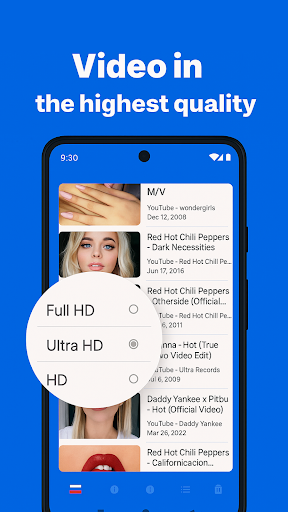

About this app
Ryn - the ultimate social media & music & video player browser app that allows you to stream your favourite content while multitasking in floating picture-in-picture mode & when the screen is off or on the lock screen.
You can search, bookmark, and share your favourite content, create your own playlists, and listen to podcasts, interviews, and nursery rhymes with the screen locked.
Here are some of the key features that make Playback stand out:
* Stream music and watching videos with ease, even when your screen is off or on the lock screen.
* Multitask using a floating picture-in-picture mode while listening to your music video in the background, just like a music player or in a floating picture-in-picture mode
* Access 100’s music genres like Electronic, Soul, Hip-Hop, Reggae, Rhythm & blues, Disco, Jazz and much more
* Save your music or videos to favourites to watch later at your convenience.
* Create a personalised home screen to access your favourite music and video websites.
* Search millions of music and videos, and bookmark them for easy access later.
* Share your favourite music and videos with friends and family.
* Play any video or music shared from other apps in the background with ease.
* Listen to podcasts, interviews, nursery rhymes and more when the screen is locked.
* Floating Browser with background stream
* Users can create their own playlists, re-order them by saving their music or videos to their favourites, and share them with friends.
* Playback allows users to play any video for hours of free music without the need to download tracks.
* Save your battery life by listening to music without keeping your screen on.
How to Download Zen Playback Browser : Ryn APK
- Enter the package name
com.ryn.vpn.browseron the APK Downloader homepage. - Select your device architecture (ARM64 recommended for modern devices).
- Click Download to get the merged APK file.
- Transfer and install the APK on your Android device.
- Keep Updated: Visit APK Downloader regularly to search for and download the latest secure versions of your favorite apps.
Security & Signature Verification
This APK download is 100% safe. We verify that the cryptographic signature of the file matches the official developer credentials. No modifications or adware are injected.