
Download Sources
Split APKs Installation Guide
Some apps are distributed as Split APKs (multiple .apk files packaged together) to optimize resources. Standard Android installers cannot open them.
Related Applications




What's New
Hi there! We are always making changes and improvements to Talk360 to make sure you'll have the best calling experience. This new release contains the following performance improvements:
- Google Play Billing system
- A brand new support center to help you in the best way possible
- The Bring a Friend feature that you can use to get free credit is improved
- Major call quality improvements
- Various bug fixes and stability improvements
About this app
Distance shouldn’t stop you from staying close - make affordable international calls to the people you care about with Talk360.
Top up your balance once and use it for international calls, mobile top-ups, and other telecom services. Your balance works across Talk360 calling and supported partner services, giving you one simple way to stay connected.
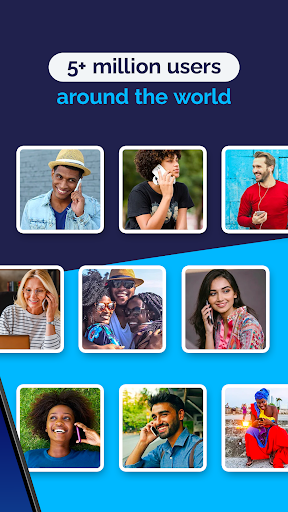
Upgrade your international calling experience with Talk360! Join over 5 million happy users worldwide and enjoy affordable, crystal-clear calls with our easy-to-use app. Call landlines and mobile numbers using WiFi or cellular data while showing your own phone number on caller ID.
The person you call doesn’t need internet, a smartphone, an app, or an eSIM. With Talk360, you can stay connected from anywhere while avoiding expensive roaming charges. Enjoy low-cost rates across 196 countries, including Nigeria, Mexico, India, China, South Africa, Colombia, and the Philippines.
TEST CALL
• Try a free call using your own phone number.
• Experience excellent voice quality.
• Enjoy our 14-Day Money-Back Guarantee for peace of mind when trying the app abroad.
WIFI CALL / VOIP CALL
• Make international calls over WiFi or mobile data.
• Call anyone, even if they don’t have internet or the Talk360 app installed.
• Connect to landlines and mobiles from anywhere in the world.
• Calls are private, secure, and reliable.
• Enjoy stable call quality across long-distance routes.
• Use 3G, 4G, 5G, or WiFi while traveling - no roaming required.
• Ideal for travelers who want to stay connected in airports, hotels, cafés, or remote areas.
GLOBAL MOBILE TOP-UPS
• Send airtime and data instantly to loved ones from anywhere in the world
• Support major mobile operators worldwide
• Fast, secure, and convenient international top-ups
• Send Top-Up to 100+ Countries
SIMPLE VOICE CALLING
• Call internationally without needing a local SIM or eSIM - use your own number.
• Stay in touch with friends and family across the world.
• Track your usage through call history.
• Sync your contacts for faster calling.
• Invite friends and earn free calling minutes.
• No subscription required, simply use your prepaid balance when needed.
AFFORDABLE INTERNATIONAL CALLING & TOP-UPS
• Make low-cost international calls directly from the app.
• Add prepaid balance and use it across calling and supported partner services.
• No hidden fees, usage is shown in real time.
• Connect with loved ones through long-distance and overseas calls to 196 countries.
POPULAR DESTINATIONS
• Mexico: $0.04/min
• India: $0.04/min
• China: $0.23/min mobiles, $0.19/min landlines
• South Africa: $0.22/min mobiles, $0.19/min landlines
• Nigeria: $0.13/min mobiles, $0.20/min landlines
• Colombia: $0.03/min mobiles, $0.05/min landlines
• Philippines: $0.20/min mobiles, $0.18/min landlines
• United States: $0.04/min
Rates may change.
14-DAY MONEY-BACK GUARANTEE
If you’re not completely satisfied with Talk360, contact us within 14 days and we’ll refund your balance, no questions asked.
OUR MISSION
At Talk360, we bridge distances and connect lives. Our technology makes global calling simple by using your existing phone number, without requiring the recipient to have internet, a smartphone, or the app.
JOIN THE COMMUNITY
Facebook: https://www.facebook.com/Talk360app
Instagram: https://www.instagram.com/talk360
YouTube: https://www.youtube.com/c/Talk360GroupBV
Website: https://www.talk360.com
PERMISSIONS
• Microphone: needed to transmit your voice.
• Phone: required to make and manage calls.
We respect your privacy and only use these permissions to provide calling features.
Security & Signature Verification
This APK download is 100% safe. We verify that the cryptographic signature of the file matches the official developer credentials. No modifications or adware are injected.