
Download Sources
Device Configuration
Split APKs Installation Guide
Some apps are distributed as Split APKs (multiple .apk files packaged together) to optimize resources. Standard Android installers cannot open them.
Related Applications




What's New
Version 2.1.78
* Fixes the camera preview being stretched.
* Fixes the camera freezing when switching to selfie cam or rotating the phone.
* Fixes a rare issue where nothing happens after a recording has finished.
* Fixes the crop editor going out-of-bounds on non-portrait recordings.
* Recording editor now works better with Android gesture navigation.
About this app
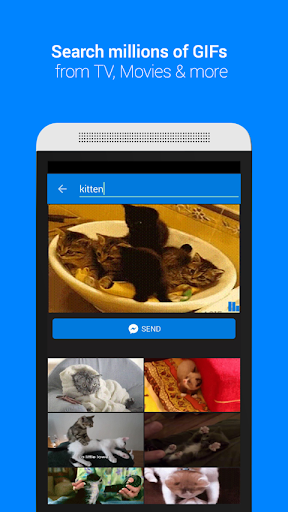
With Tenor’s GIF Keyboard you can discover the right GIF or video to visually sum up exactly what you’re trying to say, directly from your keyboard. Express the emotion, inside joke, or clever response you want to share.
Features:
- Send the right GIF or video to express exactly what you’re trying to say, directly from your keyboard!
- Search Tenor’s millions of GIFs and videos to find the one that perfectly fits your moment. You can also search by emoji.
- Need inspiration? Browse by category like reactions, trending topics, and more.
Developers -- interested in integrating Tenor GIF Search into your apps, services, or websites? Visit tenor.co/gifapi to get your API Key.
Tenor was formerly known as Riffsy.
How to Download GIF Keyboard by Tenor APK
- Enter the package name
com.riffsy.FBMGIFAppon the APK Downloader homepage. - Select your device architecture (ARM64 recommended for modern devices).
- Click Download to get the merged APK file.
- Transfer and install the APK on your Android device.
- Keep Updated: Visit APK Downloader regularly to search for and download the latest secure versions of your favorite apps.
Security & Signature Verification
This APK download is 100% safe. We verify that the cryptographic signature of the file matches the official developer credentials. No modifications or adware are injected.