
Download Sources
Device Configuration
Split APKs Installation Guide
Some apps are distributed as Split APKs (multiple .apk files packaged together) to optimize resources. Standard Android installers cannot open them.
Related Applications


What's New
We've updated the app to improve your experience. This update includes a few fixes to enhance your overall ordering experience.
About this app
Just Say Stuff It! Meet our NEW! Salad Stuffers. Enjoy any half salad in our soft Italian Stuffer Roll and get ready for the perfection in every bite! Feeling bold? Try the new Steakhouse or Santa Fe Chicken.
The Panera Bread® app is like having a mini-Panera® in your pocket, but even better! You’ll find all your faves, classic and new—and so. much. more:
Get to the MMM faster.
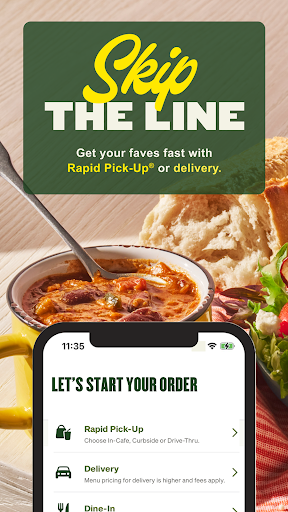
Skip the line! Find your local cafe and order ahead for Rapid Pick-Up®. Staying in? We’ll deliver your flavor fix right to your door. Track your order and get ready for the deliciousness.
Your rewards, your way.
Get exclusive in-app deals and find all your MyPanera rewards in one place (like your birthday treat!). Plus, choose your rewards based on what you’re craving.
Join Unlimited Sip Club!
Enjoy access to a variety drinks, exclusive perks and more. Already a member? Redeem your cups even faster in the app.
We save your favorites.
Your go-to orders (customizations and all) are right at your fingertips, so you can reorder it again, and again, and again...
Share the YUM. Send them a gift card!
Give them a coffee for their first day, a ‘get well’ soup, or a little extra love just because—right from the app to their email inbox.
*Participating US cafes only. Must order as Mix & Match. Min 2 & Max 10 different items. No upgrades/substitutions. Modifications for additional charge. 1 side per total order. Prep may vary. Delivery price is higher and fees apply.
How to Download Panera Bread APK
- Enter the package name
com.panera.breadon the APK Downloader homepage. - Select your device architecture (ARM64 recommended for modern devices).
- Click Download to get the merged APK file.
- Transfer and install the APK on your Android device.
- Keep Updated: Visit APK Downloader regularly to search for and download the latest secure versions of your favorite apps.
Security & Signature Verification
This APK download is 100% safe. We verify that the cryptographic signature of the file matches the official developer credentials. No modifications or adware are injected.