
Download Sources
Device Configuration
Split APKs Installation Guide
Some apps are distributed as Split APKs (multiple .apk files packaged together) to optimize resources. Standard Android installers cannot open them.
Related Applications




What's New
Fonty Keyboard is finally here. Send callout messages with your own created fonts.
About this app
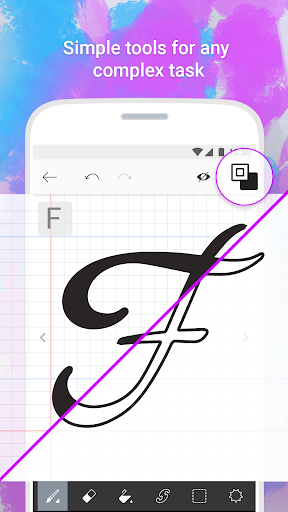
Create your own fonts with Fonty - the easy-to-use font making app that provides limitless font customization for everyone. The font editor gives you full creative power to make truly unique handwritten fonts or simply personalize existing ones and express yourself through text. Draw your own letters, use shapes, cut and splice, and even add awesome clipart, Fonty has got it all. Whether you're a lettering newbie or a seasoned typography master, you'll never want to use boring old fonts again.
Features:
Auto-save and Drafts so you never lose your work
Font Preview to see how your new alphabet looks every step of the way
Easy font export to other devices and applications
Visual guides and lettering hints to help you along the way
Support for over 15 languages and alphabets, with more coming soon
Brushes to make elegant calligraphy
Stickers to truly personalize and beautify your fonts
How to Download Fonty - Draw and Make Fonts APK
- Enter the package name
com.palabs.fontyon the APK Downloader homepage. - Select your device architecture (ARM64 recommended for modern devices).
- Click Download to get the merged APK file.
- Transfer and install the APK on your Android device.
- Keep Updated: Visit APK Downloader regularly to search for and download the latest secure versions of your favorite apps.
Security & Signature Verification
This APK download is 100% safe. We verify that the cryptographic signature of the file matches the official developer credentials. No modifications or adware are injected.