
Download Sources
Device Configuration
Split APKs Installation Guide
Some apps are distributed as Split APKs (multiple .apk files packaged together) to optimize resources. Standard Android installers cannot open them.
Related Applications




What's New
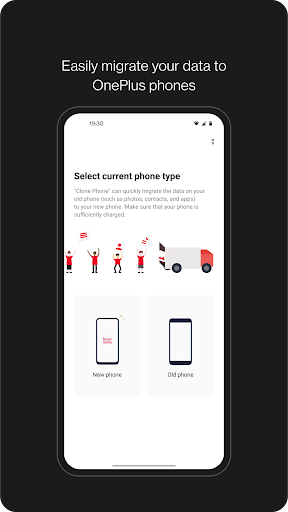
1. OnePlus Switch is now called Clone Phone with improved performance and functionality. Please ensure both new and old devices have Clone Phone installed and updated to the latest version.
2. Optimize issues with device connection.
3. General bug fixes and improvements.
Note:
1. If you cannot find [Backup and Restore] from the [More] button on Clone Phone’s homepage, please try this [Settings] > [Additional settings] > [Back up and reset] > [Back up & restore] > [Local backup].
About this app
OnePlus Switch is now called Clone Phone. With this app, you can quickly transfer your contacts, messages, photos, and other data from your previous phone to other OnePlus phones.
◆ Data migration
With Clone Phone, you can easily migrate your data from Android devices to OnePlus phones without a network connection.
(Transfers from iOS devices may require a data connection.)
What you can migrate: contacts, SMS, call history, calendar, photos, videos, audio, apps (including the data of certain apps).
◆ Data backup
The data backup function can backup your data safely for restoring when required.
What you can backup: contacts, SMS, call history, notes, desktop layouts, apps (excluding data).
Note:
1. Supported data may vary on different systems and Android versions. Please check if the data is still functional after a transfer or a backup restore.
2. If the app crashes, gets stuck, fails to open, or encounters any other issues, please give us feedback or a bug report on the OnePlus Community forums.
3. If Clone Phone notifies you of insufficient storage space, you can try migrating data in batches or clear up storage space on the device.
How to Download Clone Phone - OnePlus app APK
- Enter the package name
com.oneplus.backuprestoreon the APK Downloader homepage. - Select your device architecture (ARM64 recommended for modern devices).
- Click Download to get the merged APK file.
- Transfer and install the APK on your Android device.
- Keep Updated: Visit APK Downloader regularly to search for and download the latest secure versions of your favorite apps.
Security & Signature Verification
This APK download is 100% safe. We verify that the cryptographic signature of the file matches the official developer credentials. No modifications or adware are injected.