
Download Sources
Device Configuration
Split APKs Installation Guide
Some apps are distributed as Split APKs (multiple .apk files packaged together) to optimize resources. Standard Android installers cannot open them.
Related Applications




What's New
This update brings the following improvements:
- Fix translations issues and text formating in Thai
- Fix Chinese Traditional/Simplified selection issue
- Many other bug fixes and improvements
We are happy to hear from you and get your feedback!
About this app
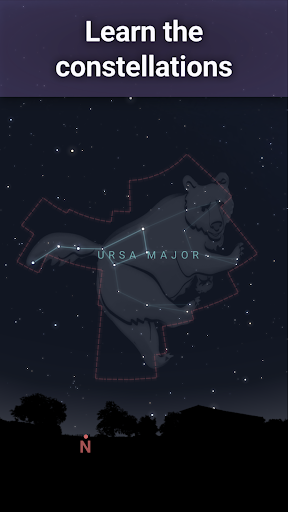
Stellarium Plus - Star Map is a planetarium app that shows exactly what you see when you look up at the stars.
Identify stars, constellations, planets, comets, satellites (such as the ISS), and other deep sky objects in real time in the sky above you in just a few seconds, just by pointing the phone at the sky!
This astronomy application has an easy to use and minimalist user interface, that makes it one of the best astronomical applications for adults and children who want to explore the night sky.
This Plus version will also satisfy the most demanding astronomy enthusiasts thanks to its massive collection of sky objects (up to magnitude 22 versus magnitude 10 in the standard version) and advanced observing features for controlling telescopes or preparing observing sessions.
Stellarium Plus features:
★ View an accurate night sky simulation of stars and planets for any date, time and location.
★ Dive in a collection of many stars, nebulas, galaxies, star clusters and other deep sky objects.
★ Discover how people living in other regions of the planet see the stars by selecting the shapes and illustrations of the constellations for many sky cultures.
★ Track artificial satellites, including the International Space Station.
★ Simulate landscape and atmosphere with realistic sunrise, sunset and atmosphere refraction.
★ Discover 3D rendering of the major solar system planets and their satellites.
★ Observe the sky in night mode (red) to preserve your eyes adaptation to darkness.
★ Reach the limit of knowledge by diving in a massive collection of stars, nebulas, galaxies, star clusters and other deep sky objects:
• All known stars: Gaia DR3 catalog of over 1.81 billion stars
• All known planets, natural satellites and comets, and many other minor solar system objects (10k asteroids)
• Most known deep sky objects: a combined catalog of over 2 million nebulas and galaxies
★ Zoom almost without limits on high resolution images of deep sky objects or planetary surfaces.
★ Observe in the field, even without internet connection, with a "reduced" set of data: 3 million stars, 2.3 million Deep Sky Objects, 10k asteroids.
★ Control your telescope through Bluetooth or WIFI: drive any GOTO telescope compatible with NexStar, SynScan or LX200 protocols.
★ Prepare your observing sessions using the advanced observation tools, to predict a celestial object observability and transit times.
Stellarium Plus - Star Map is made by the original creator of Stellarium, the well known open source planetarium and one of the best astronomy applications on Desktop PC.
How to Download Stellarium Plus - Star Map APK
- Enter the package name
com.noctuasoftware.stellarium_pluson the APK Downloader homepage. - Select your device architecture (ARM64 recommended for modern devices).
- Click Download to get the merged APK file.
- Transfer and install the APK on your Android device.
- Keep Updated: Visit APK Downloader regularly to search for and download the latest secure versions of your favorite apps.
Security & Signature Verification
This APK download is 100% safe. We verify that the cryptographic signature of the file matches the official developer credentials. No modifications or adware are injected.