
Download Sources
Device Configuration
Split APKs Installation Guide
Some apps are distributed as Split APKs (multiple .apk files packaged together) to optimize resources. Standard Android installers cannot open them.
Related Applications


What's New
- Employees are grouped by availability when scheduling.
- Performance and stability upgrades.
About this app
Plan time, track attendance, schedule, and message with your mobile workforce. Employee Link schedules and tracks hours and GPS location of your crews' clock in and outs then displays your data in an easy to read calendar-based dashboard. It includes two unique apps in one, timesheet, payrolls, hours tracker. For the employee, a simple time clock app and for you, the employer, a powerful labor management app to simplify and increase the productivity of your business.
Project Management Made Easy
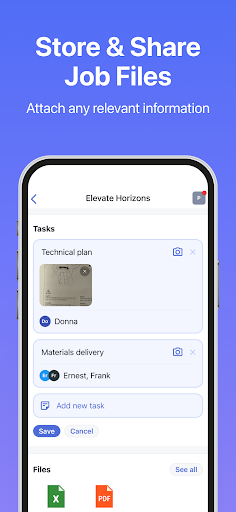
Add "smart tasks" to jobs then schedule your workforce on the shiftboard. Your crew will receive push notifications when they're are added to a schedule and when their schedule is updated. Productivity increases when your workforce knows, in advance, where and when they work and on what projects. Simple timesheets will help your staff to stay organized. Keep your crew informed by adding job notes and pictures to schedule tasks. The shiftboard calendar displays a simple overview of scheduled "time-blocks" for your entire workforce. It's fast and easy to plan your work week and organize your crew at the same time. Employee Link is the homebase for your workplace schedules. Find out why companies love these hot schedules.
Track Productivity and Attendance
See when your employees are on the clock, if they've arrived on time, and the location of their clock in with GPS. Get daily updates of your crews' time sheets organized by pay period. Choose between a detailed hours log containing start, end, and lunch times or, simply, the total time worked for each shift. View overtime hours and export your timesheet as a pdf to email.
Simply Clock In and Out
The Employee Link is so simple to learn, your whole crew will be able to start tracking time right away. With one click they can view tasks on their schedule and tap the task to mark it complete. Increase productivity and decrease overtime by tracking attendance and break- time length. Entering a employee's wage works well for showing gross pay earned. An employee might ask, "what is mypay for this calendar month?", the pay period time calculator will instantly show them their total hours clocked and total pay.
Stay Connected with your Workplace
Message your entire crew at once with mobile workforce messaging. Set announcements to ensure all staff are aware of important messages. Alert your crew of last minute changes so everyone knows on time.
Paycheck Calculator
Pay day is simple with the paycheck calculator. Select an employee to see their total hours worked and gross pay for a pay period timesheet. With one click, mark workdays for an employee as ’paid’. Time tracking hours with Employee Link keeps your timesheets organized, reduces tasks on pay day and boosts productivity.
Log hours by job for labor cost tracking. View all hours logged and gross earnings paid over the course of a project.
The Homebase for Your Mobile Workplace
Organize your workplace, schedule your workforce, clock your crews' visits, receive regular timesheet updates and export your time sheet by email to yourself or your accountant. Employee Link is the number one free hours tracker and schedule app. It's the homebase for your mobile workplace!
How to Download Employee Link・Time Tracking APK
- Enter the package name
com.morgantrudeau.employeelinkon the APK Downloader homepage. - Select your device architecture (ARM64 recommended for modern devices).
- Click Download to get the merged APK file.
- Transfer and install the APK on your Android device.
- Keep Updated: Visit APK Downloader regularly to search for and download the latest secure versions of your favorite apps.
Security & Signature Verification
This APK download is 100% safe. We verify that the cryptographic signature of the file matches the official developer credentials. No modifications or adware are injected.