
Download Sources
Device Configuration
Split APKs Installation Guide
Some apps are distributed as Split APKs (multiple .apk files packaged together) to optimize resources. Standard Android installers cannot open them.
Related Applications




What's New
Arabic language support
About this app
Your Cute Diary & Journal with Lock!
Miuu Note is your cute, private diary and daily journal app, perfect for tracking your thoughts, moods, and memories in a safe, creative, and aesthetic way.
Whether you're looking for a secure space to express your feelings or a daily planner to reflect on your life, Miuu Note has everything you need.
✨ Key Features:
🔒 Private Journal with Lock
Your personal thoughts deserve protection. Miuu Note keeps your diary secure with a lockable feature — your notes stay safe and just for you.
🎀 Cute Mood Tracker & Stickers
Track your emotions with adorable mood stickers. Add multiple stickers to decorate your daily entries and reflect your feelings with charm.
📔 Custom Notebooks & Icons
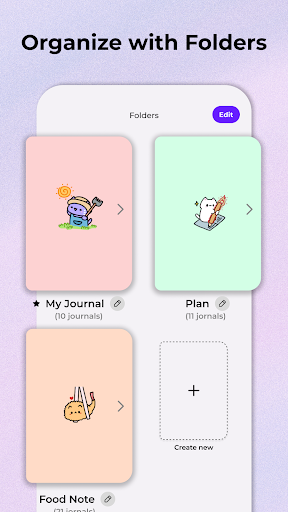
Organize your thoughts in themed journals. Choose from cute icons and create custom notebooks for self care, goals, habits, or reflections.
💫 Aesthetic Personalization
Customize backgrounds, change themes, and personalize your space with an aesthetic that fits your vibe — soft, cute, or dark mode for nighttime writing.
📅 Calendar View for Daily Tracking
Easily revisit past entries or plan ahead with our intuitive calendar view. Perfect for habit tracking, mood logs, and self-reflection.
📲 Home Screen Widget
Track your journaling streaks and log your mood directly from your home screen. Stay consistent with your journaling goals every day.
☁ Backup & Restore with Google Drive
Keep your private notes safe with cloud backup. Easily restore your diary on any device with just a few taps.
🌙 Dark Mode for Relaxed Writing
Write comfortably at night or in low light with our soothing dark theme.
🧠 Use Miuu Note for:
Daily journaling & self-reflection
Mood tracking & emotional awareness
Private, secure notes and ideas
Cute habit tracking and planning
Building mindfulness and calm routines
Start your self-care journey today with Miuu Note — the cutest diary app with lock.
Safe, simple, and beautifully designed for your daily thoughts.
How to Download Miuu Note: Cute Diary Journal APK
- Enter the package name
com.miuustudio.miuudiaryon the APK Downloader homepage. - Select your device architecture (ARM64 recommended for modern devices).
- Click Download to get the merged APK file.
- Transfer and install the APK on your Android device.
- Keep Updated: Visit APK Downloader regularly to search for and download the latest secure versions of your favorite apps.
Security & Signature Verification
This APK download is 100% safe. We verify that the cryptographic signature of the file matches the official developer credentials. No modifications or adware are injected.