
Download Sources
Device Configuration
Split APKs Installation Guide
Some apps are distributed as Split APKs (multiple .apk files packaged together) to optimize resources. Standard Android installers cannot open them.
Related Applications




What's New
FIx Bugs & Optimize
About this app
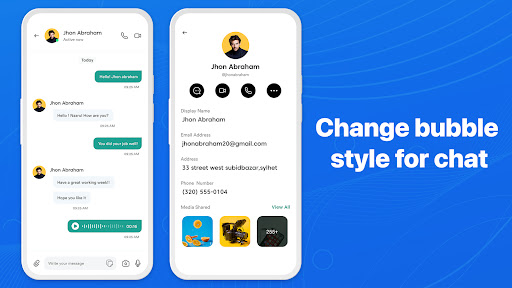
Messages provides an easy and efficient way to communicate, integrating many advanced features to improve the user's messaging experience. Key Features Message OS:
**Conversation List**:
- Displays all of the user's conversations, arranged in chronological order with the most recent conversation at the top.
- Each conversation displays a profile picture, contact or group name, and a portion of the most recent message content.
**Search**:
- The search bar at the top makes it easy for users to search for messages, contacts, or specific content within conversations.
**Compose New Message Button**:
- The pen and paper icon in the upper right corner allows users to start a new conversation.
Conversation Interface:
**Type and Send Message**:
- The input bar at the bottom allows users to enter text and send messages by pressing the send button.
- Emoij icon allows users to insert emoij so that users can send emoticons to friends
- Clock icon allows users to schedule, set time to send messages
- Friends icon allows users to select contacts to share a contact with friends
**Pin conversation**:
- Pin important conversations to the top of the list for easy access
**Notifications and Mute**:
- Users can enable or disable notifications for each specific conversation to avoid being disturbed.
The Messages Phone 15 application is not only a normal communication tool but also integrates many advanced features, helping users enjoy a rich and secure messaging experience.
How to Download Messages Phone: simple message APK
- Enter the package name
com.messages.sms.chat.messengeron the APK Downloader homepage. - Select your device architecture (ARM64 recommended for modern devices).
- Click Download to get the merged APK file.
- Transfer and install the APK on your Android device.
- Keep Updated: Visit APK Downloader regularly to search for and download the latest secure versions of your favorite apps.
Security & Signature Verification
This APK download is 100% safe. We verify that the cryptographic signature of the file matches the official developer credentials. No modifications or adware are injected.