
Download Sources
Device Configuration
Split APKs Installation Guide
Some apps are distributed as Split APKs (multiple .apk files packaged together) to optimize resources. Standard Android installers cannot open them.
Related Applications


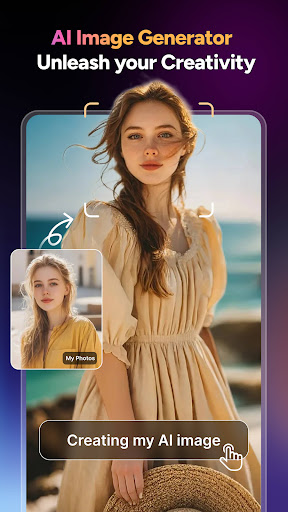


About this app
Magiclight AI is an All-in-one AI video generator, text to video maker, and editor that turns stories or scripts into videos with consistent characters, up to 30 minutes. Whether you're creating YouTube videos, children's stories, ads, love stories, religious stories, or professional AI films— Magiclight helps you turn idea into animation.
🎬 From Text to Long Video
Just input your script or concept—Magiclight automatically converts your idea into a full video from text experience. Whether you're using it as a script to video tool, a write to video shortcut, or studio-grade animation. Magiclight support your idea to videos with consistent characters, up to 30 minutes. This is more than just an editor—it’s an AI movie maker that brings your ideas to life.
🧠 Supports: text to video, text to animation, novel to video, ai story video, ai storyboard.
🎭 Consistent Characters & Real-Time Voice
Upload photos to create an ultra-consistent character profile. Our engine syncs every line of voice with dynamic lips and expressions—real-time voice, captions, and lip movement powered by our AI. No weird faces, no uncanny glitches, just polished results.
🎥 Director-Level Control + AI Video Editor Tools
Fine-tune every camera angle, lighting cue, and transition. Add boom-style motion effects, cinematic zooms, and even Luma-like depth—all inside an intuitive video editor AI interface. Control the pace like a pro—without needing pro skills.
🖼️ AI Image Maker & Photo Studio
Design scenes, characters, and environments with the built-in ai image maker and ai photo studio. Generate rich visuals using ai art generator capabilities and seamlessly integrate them into motion using ai image to video, picture to animation, and photo to video workflows. Choose from 20+ styles inspired by creators’ favorites like PixVerse, Sora, Luma, Viggle, and Hailuo. Apply glam filters, adjust lighting, and animate photos—effortlessly.
🌍 Built For:
-Creators & Youtuber: Build viral clips using voiceovers, captions, and custom styles
-Authors & Storytellers: Instantly convert fiction using novel to video, text video maker, and more
-Educators: Turn lessons into animated content that boosts attention
-Marketers & Teams: Make explainers and ad-ready videos with free video AI tools
✨ MagicLight is powered by your imagination, but built to match the feel of top tools like PixVerse, Luma, Sora, Viggle, and Hailuo—yet it's fully original, fully yours.
🔧 Bonus Touch: Inspired by modern AI logic flow and creative tools like Cal, Grok, Perplexity, and more.
🚀 New User Bonus
-FREE 6-minute video with HD export, dynamic captions, and animated voice sync
-300 free creation credits for generating watermark-free videos (ad-free forever!)
📝 “I had no editing experience. Three days later—1M views and a fan base.” —@Jacky
🎉 Install now and start turning your ideas into animation magic!
Support: support@magiclight.ai
Privacy: https://magiclight.ai/privacy
Terms: https://magiclight.ai/terms
Visit: https://magiclight.ai/
How to Download MagicLight:AI Long Video Maker APK
- Enter the package name
com.magiclight.appon the APK Downloader homepage. - Select your device architecture (ARM64 recommended for modern devices).
- Click Download to get the merged APK file.
- Transfer and install the APK on your Android device.
- Keep Updated: Visit APK Downloader regularly to search for and download the latest secure versions of your favorite apps.
Security & Signature Verification
This APK download is 100% safe. We verify that the cryptographic signature of the file matches the official developer credentials. No modifications or adware are injected.