
Download Sources
Device Configuration
Split APKs Installation Guide
Some apps are distributed as Split APKs (multiple .apk files packaged together) to optimize resources. Standard Android installers cannot open them.
Related Applications




What's New
Some great enhancements and bug fixes have been released to provide you with a better mobile experience, including:
Enhanced in-app browsing to provide a smoother and more reliable experience when opening links.
About this app
The UKG Ready™ mobile app (formerly known as Kronos Workforce Ready) connects you anytime, anywhere to all your HR, payroll, talent, and time needs. With the information you need at your fingertips, you can accomplish a variety of tasks with ease when it’s most convenient for you, helping you succeed in your work and balance your life.
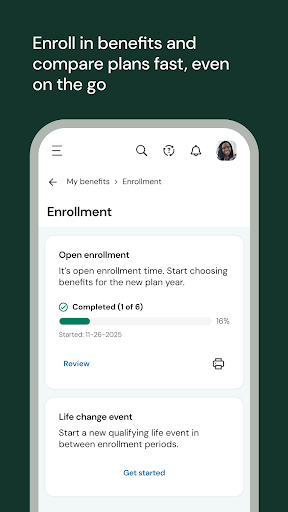
Whether you’re on a job site, on the road, at home, or simply on the move, you can get to what you need right from your mobile device. Clock in or out of a shift, check your pay, request time off, enroll in benefits, or handle any other similar tasks in moments.
If you’re a manager, we’ve got you covered too. Adjust your team’s schedule to fill gaps, work on performance reviews, handle approvals, or even uncover trends like who’s likely to leave or how your team is feeling about their work so you can make a difference for them and your business.
It’s all possible on the go with the Ready mobile app. Connect with us today from your device to get started.
Need help with the app? Check out our resource page: https://community.kronos.com/s/wfr-mobile
Notes:
• To use the UKG Ready mobile app, your organization must enable access and provide you with your 7-digit company shortname.
• Your organization determines which features you can access. Contact your manager or company administrator with any questions about logging in, what features are available to you, or connection issues.
How to Download UKG Ready APK
- Enter the package name
com.kronos.workforcereadyon the APK Downloader homepage. - Select your device architecture (ARM64 recommended for modern devices).
- Click Download to get the merged APK file.
- Transfer and install the APK on your Android device.
- Keep Updated: Visit APK Downloader regularly to search for and download the latest secure versions of your favorite apps.
Security & Signature Verification
This APK download is 100% safe. We verify that the cryptographic signature of the file matches the official developer credentials. No modifications or adware are injected.